[Case study]
creating a simple and efficient way to develop car apps
for Android Auto
Design lead
product definition
research
ui design & Prototyping
Partner relationships
developer facing documentation
Project: Develop an SDK/library for car app developers
Problem statement: Android Auto needed to provide an efficient way for developers to create car apps. The SDK that existed required developers to design for various screen sizes and input models (rotary, touch etc.). This meant high cost of development and maintenance. Furthermore, developers would need to be responsible for driver distraction requirements.
Process: This has been a multi-year effort (initiated mid-year 2019) that had an ambiguous scope. It involved close coordination with external partners as well as internal Auto/Google teams. We went through multiple rounds of user and developer research to understand needs and impact of new patterns we proposed. Tightly collaborated with safety experts to develop a safety optimized library. Library has been released as part of Jetpack in early 2021.
My role and responsibilities: I have been the UX lead for this program from early on. Worked closely with Eng/Pm to define the product as well as our team processes. I wore many hats, design POC for partners, lead designer, ux manager, qa for product excellence etc.
I needed me to expand my technical knowledge rather fast to help team define the product and to understand the needs.
——… at times went deep to understand apis to design the right kind of interafce, or work with seafety experts to understand implications of giving developers too much or too little flexibility.
final product snapshot
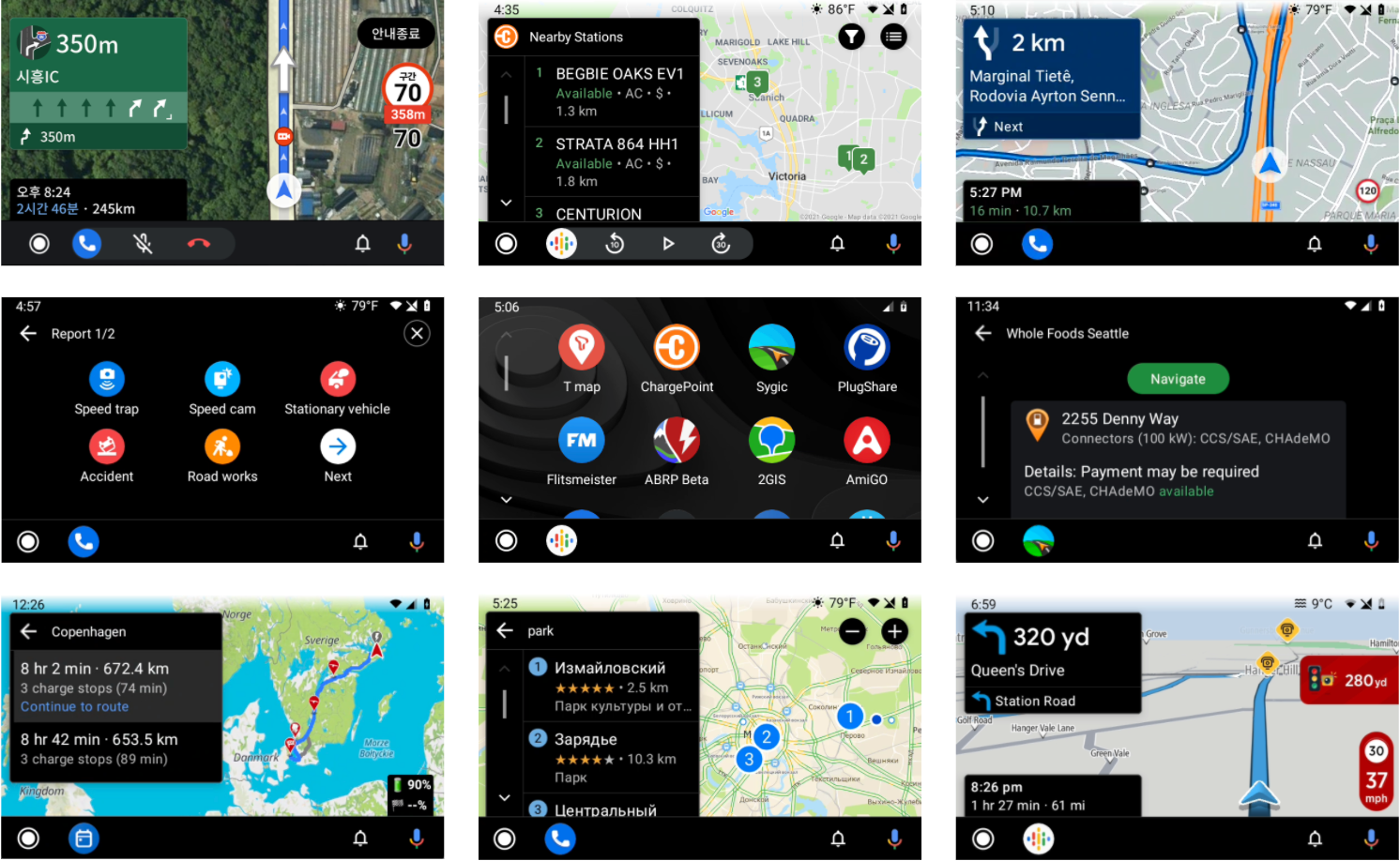
A global set of apps created with Car app library v1
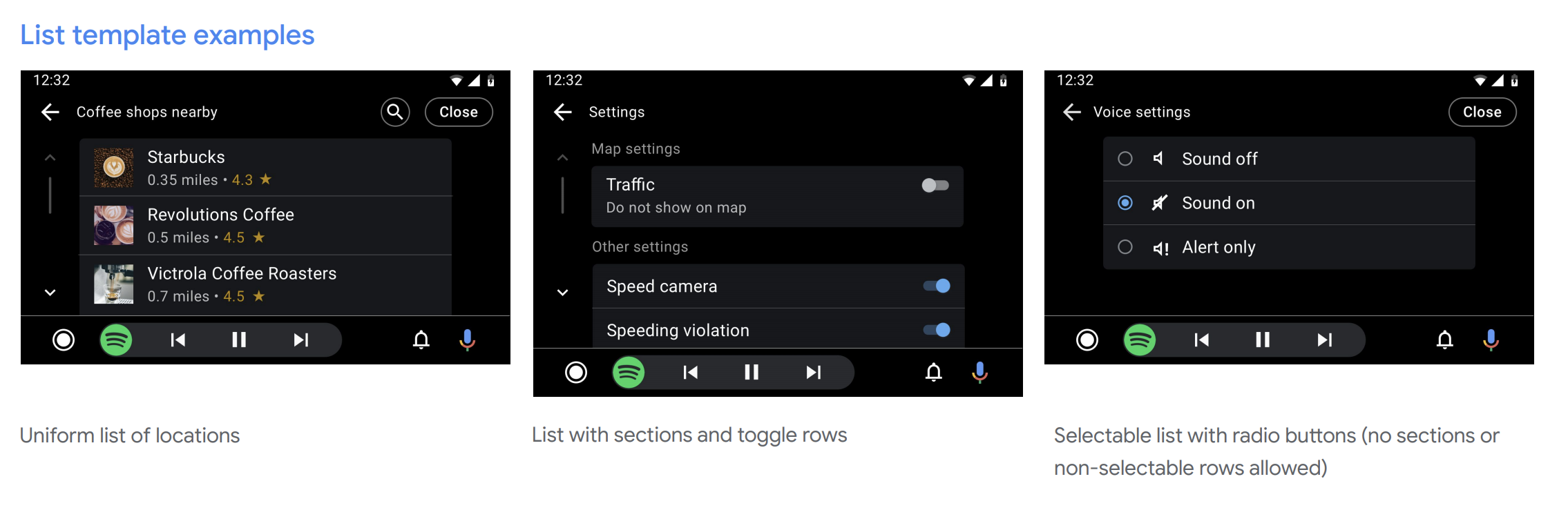
The Android for Cars App Library allows developers to bring navigation, parking, and charging apps to the car. It does so by providing a set of templates designed to meet driver distraction standards and taking care of details such as the variety of car screen factors and input modalities.
Project highlights
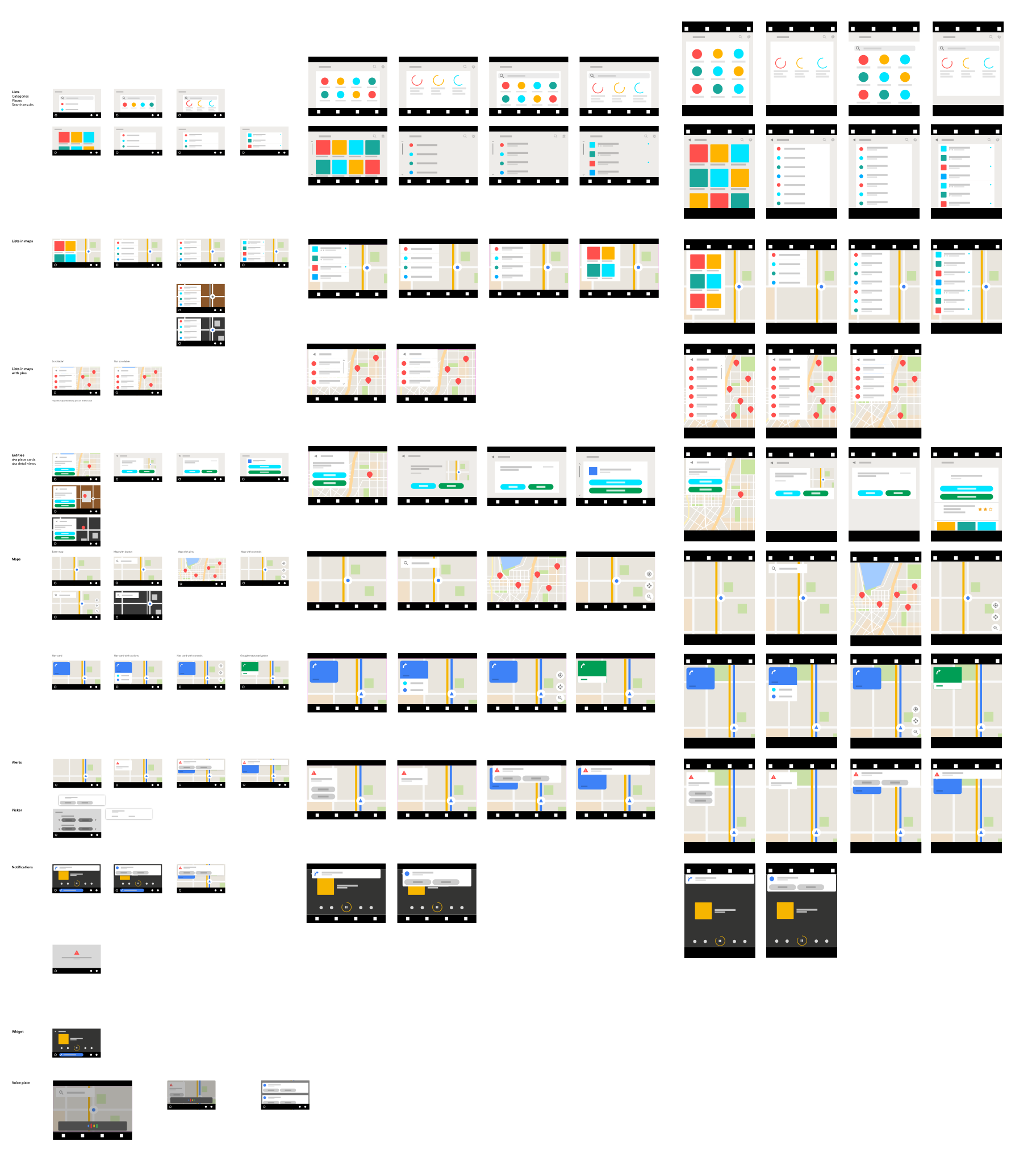
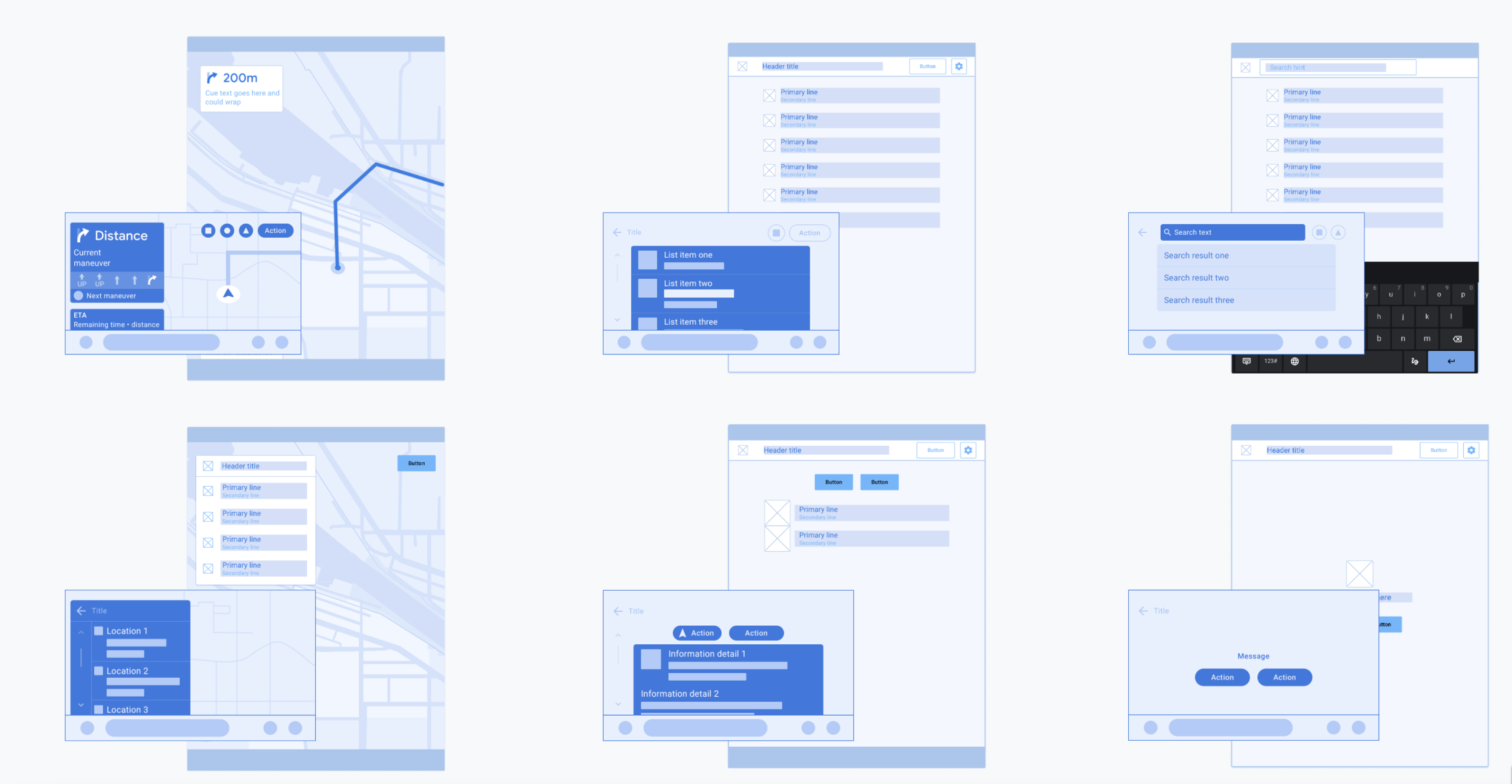
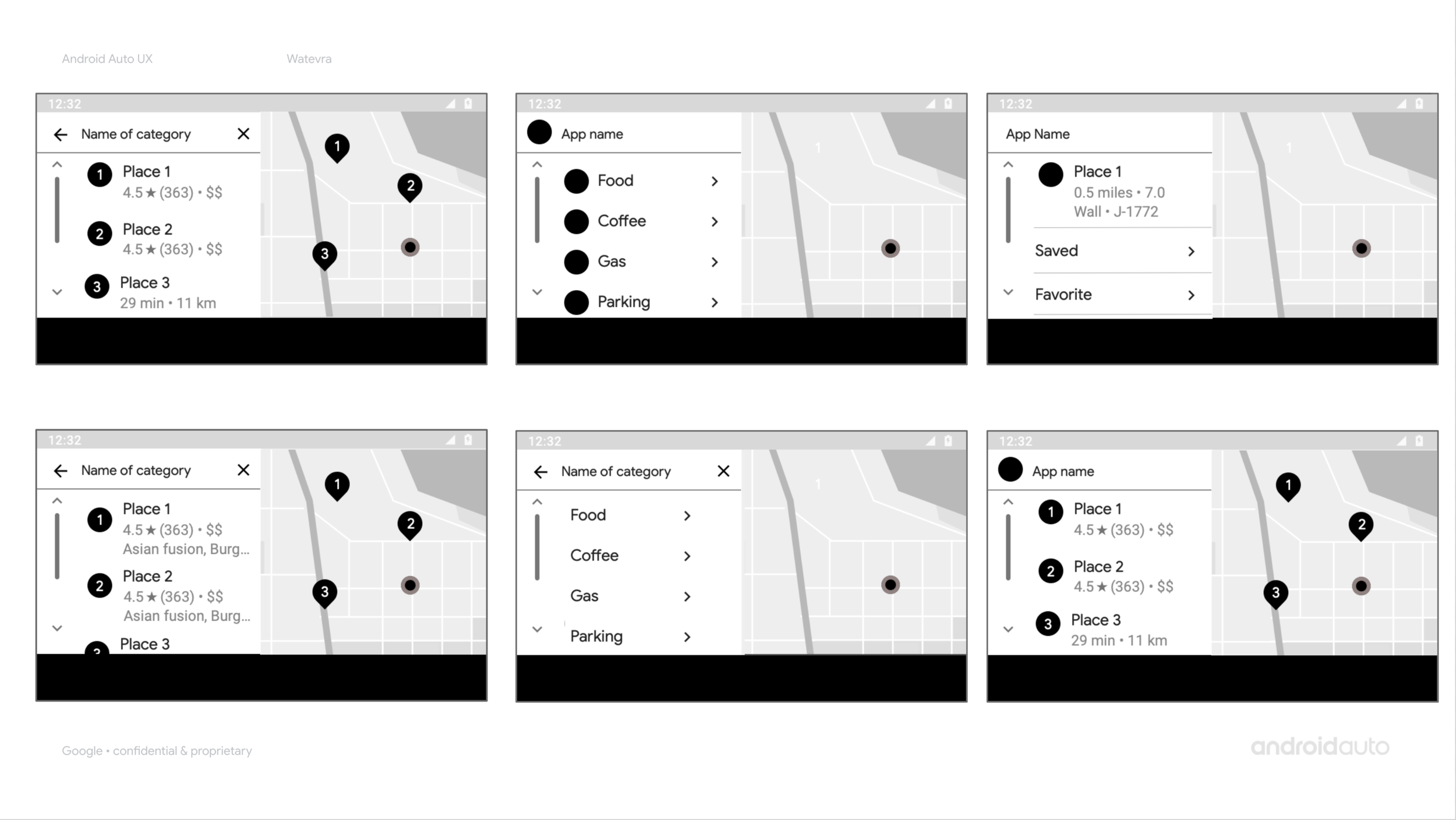
Early low-fi template ideas
Defining an ambiguous scope and validating your strategy
The needs and end goals were clear. However, where to start and how to scope the problem was highly ambiguous. Our trio (product manager, product designer and technical lead) collaborated very tightly during the definition phase, lots of drawing and debating.
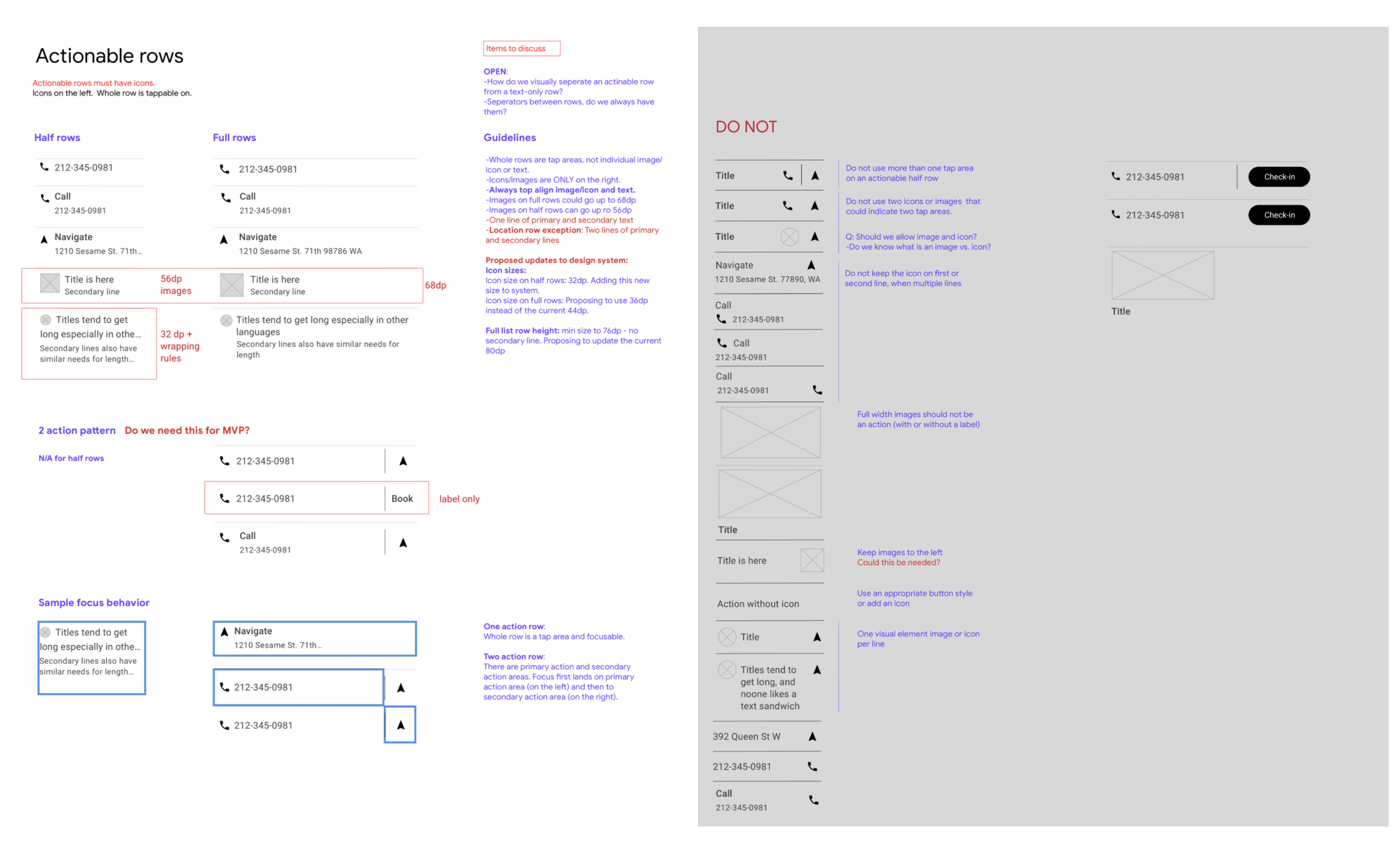
I started by auditing targeted app categories and creating car app flows i predicted potential apps may create. During my audit, I observed a high amount of common patterns between mobile apps in categories we targeted. Our early hypothesis was defined this way. However, there was still a high number of UI patterns and they did not all seem essential. My product manager and I worked with early access partners to bounce ideas off, ideate on what is a blocker or not, and incorporate their early feedback into designs. This tight collaboration enabled us get deep insights on developer and end-user needs. After we got to the weeds, we had hard conversations internally to cut down on scope to get to the most meaningful minimal scope we could. We evaluated al this with deveoloeprs.
2. Design for flexibility that meet global user and developer needs
I saw two distinct directions for how to approach the library UX: Create highly prescriptive templates that gave developers less flexibility but ensured higher quality apps; OR create a UI toolkit that gave developers high flexibility but may create some lower quality apps.
I proposed to go for a middle ground: Create a set of templates, each with a flexible set of rules that would let developers pick and choose what and how many UI elements they want on the screen. Proposal was to start here and open up the rules as needed and as we learned more from end-users and dveelopers. This approach enabled us move fast and more importantly, be able to create a driver distraction framework as the bounds of the experience a developer may create was known for safety team to evaluate.
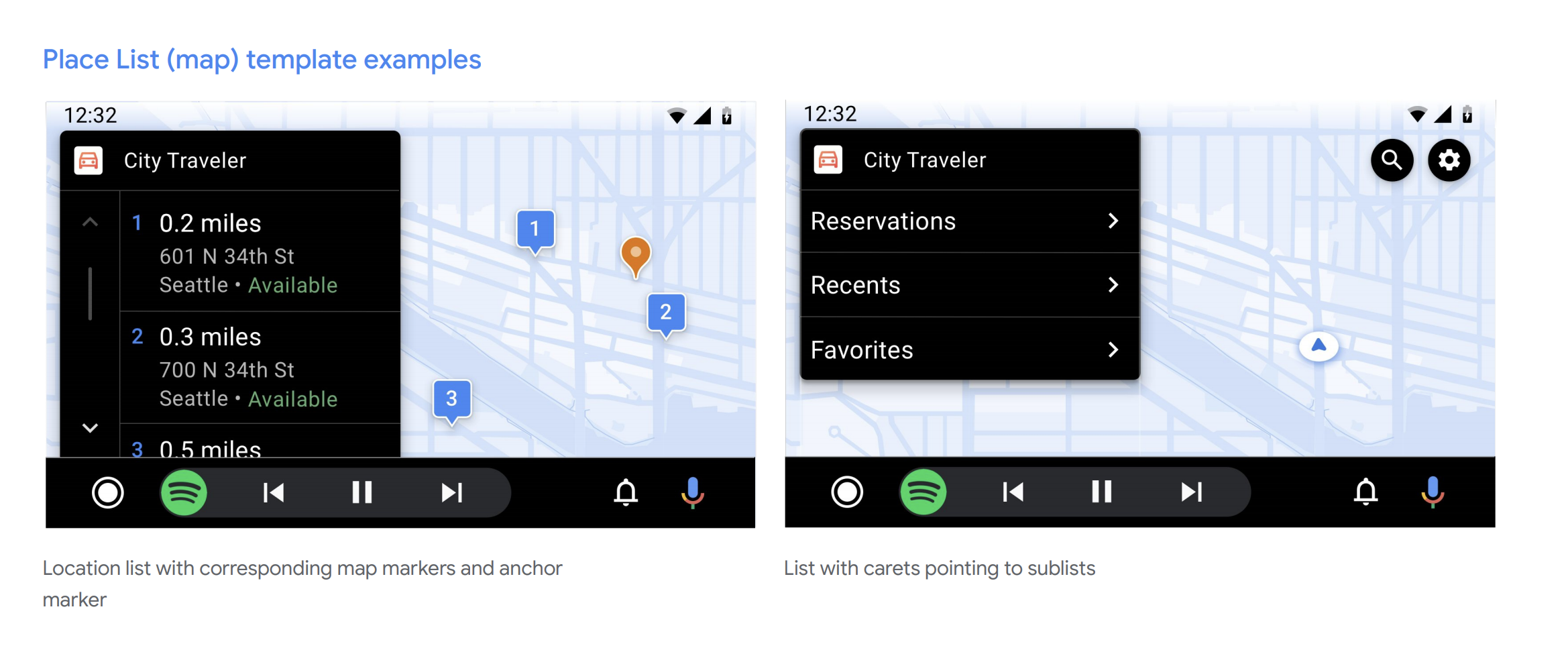
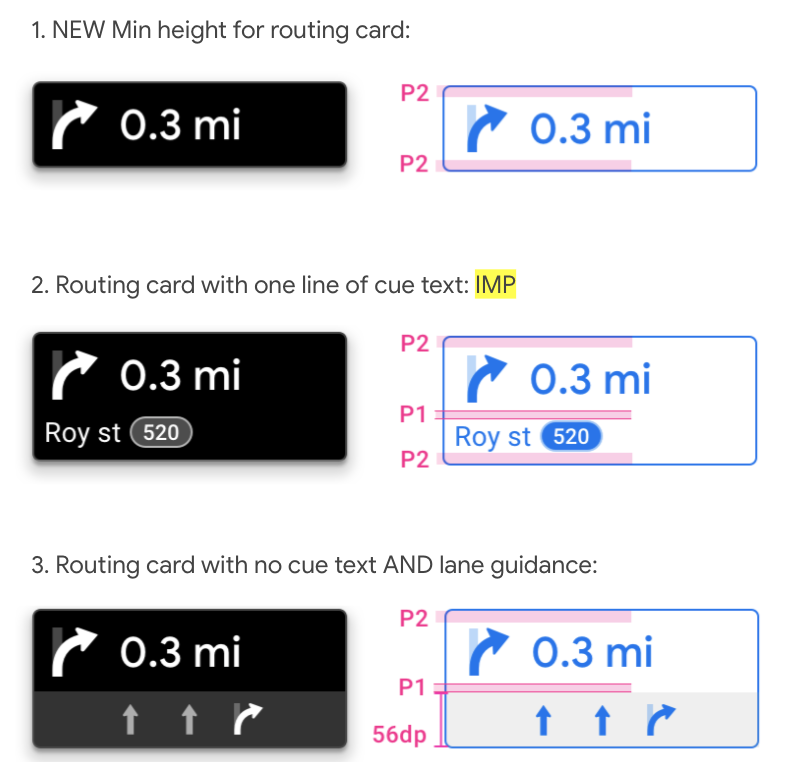
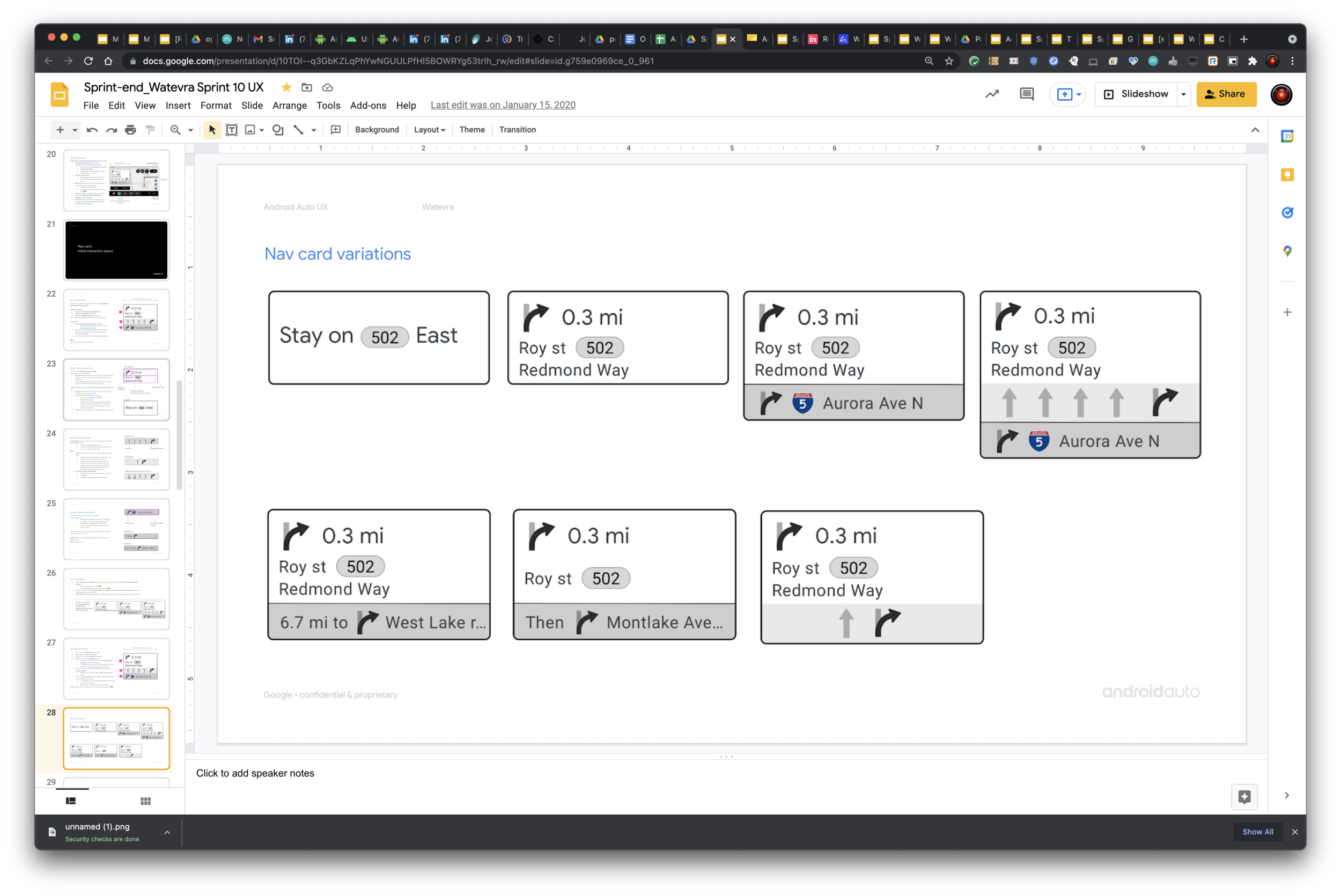
some examples of flexilibility in t eui that we epxlored early on. putting ourselves in the shoes of developers to practices all the ui they could vcreate and seeing the gaps where they cpuld not.
whole system is deisgned to let developers create their own unique or common app architecture and user flows, express branding and customize content as they need to. using the same template a developer can create a highly caried app arc and experience. ——-> this is the angle
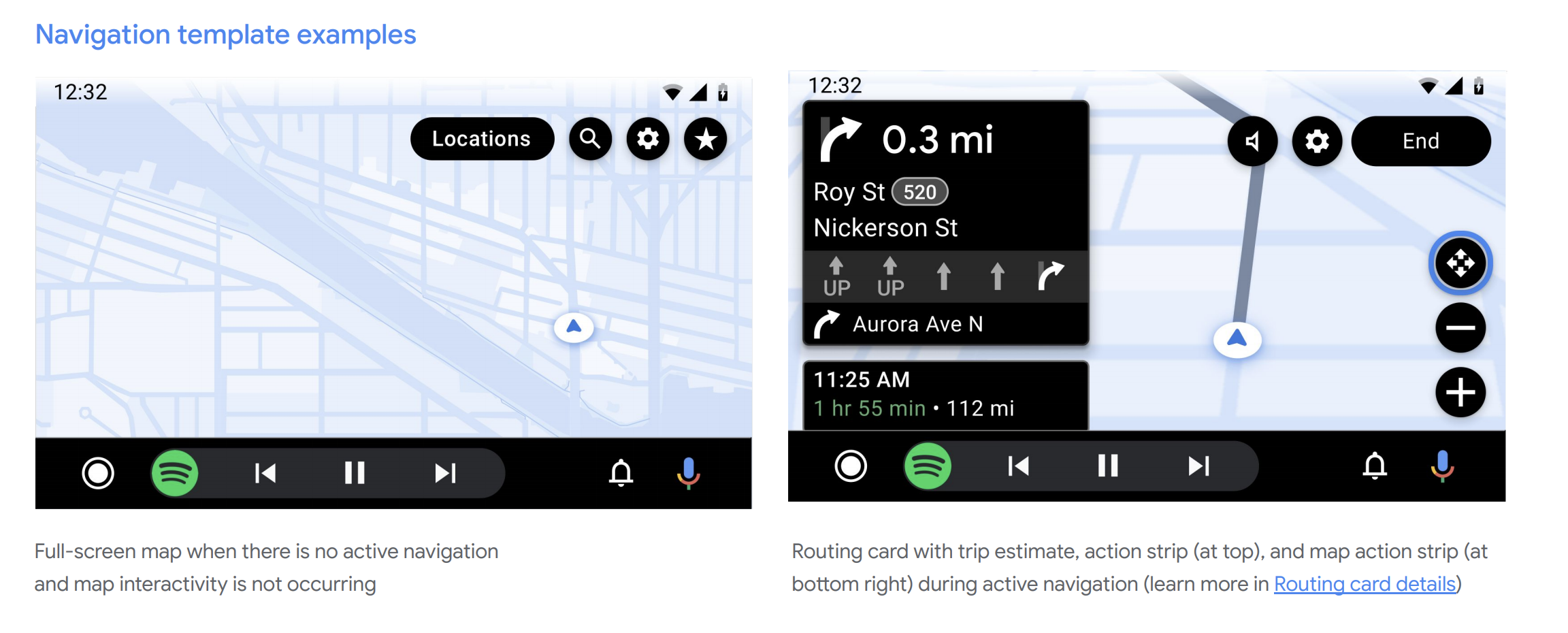
compionent flexibility —-> routing card example. plus component being optional… based on app needs.
also action strip stated as a defined set than we realized well that was crazy :)
visual design - app customization ruyles. how we started restricted but opened up as well.
—-NUMBER 1 LEARING FOR ME, YOU CAN NOT GUARANTEE APP UX TO BE GREAT. YOU HAVE TO LET DEVS DO THEIR JOB. GIVE THEM TOOLS, SHOW THEM THE BEST PRACTICES. DO NOT DICTATE MORE THAN YOU SHOULD.
———
started understaing early access partner needs
audited mobile and existing car apps
define dthe set of templates, redefined for a viable set, got developer feedback constantly while deisgning
worked with viusual and motion deisgners
each template is designed to respond to various usecases.
3. assumptions, data, covid and building a driver distraction framework
We had a gizzillion questions. I partnered with researchers to collect existing knowledge from internal teams. Identified where we had major knowledge gaps to shape studies.
Did a quick secondary research technical lead to where to start, who to work with, what templates were needed…
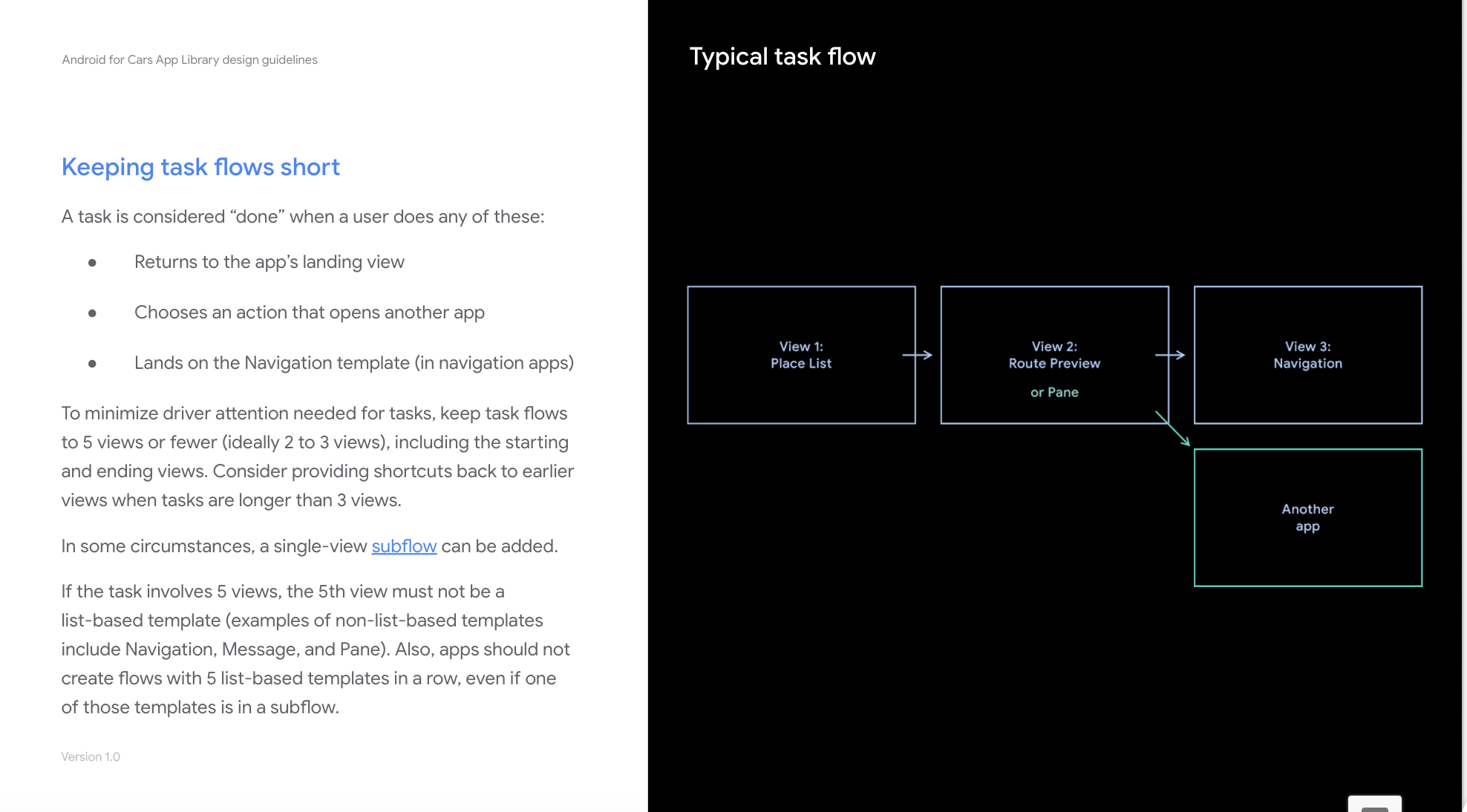
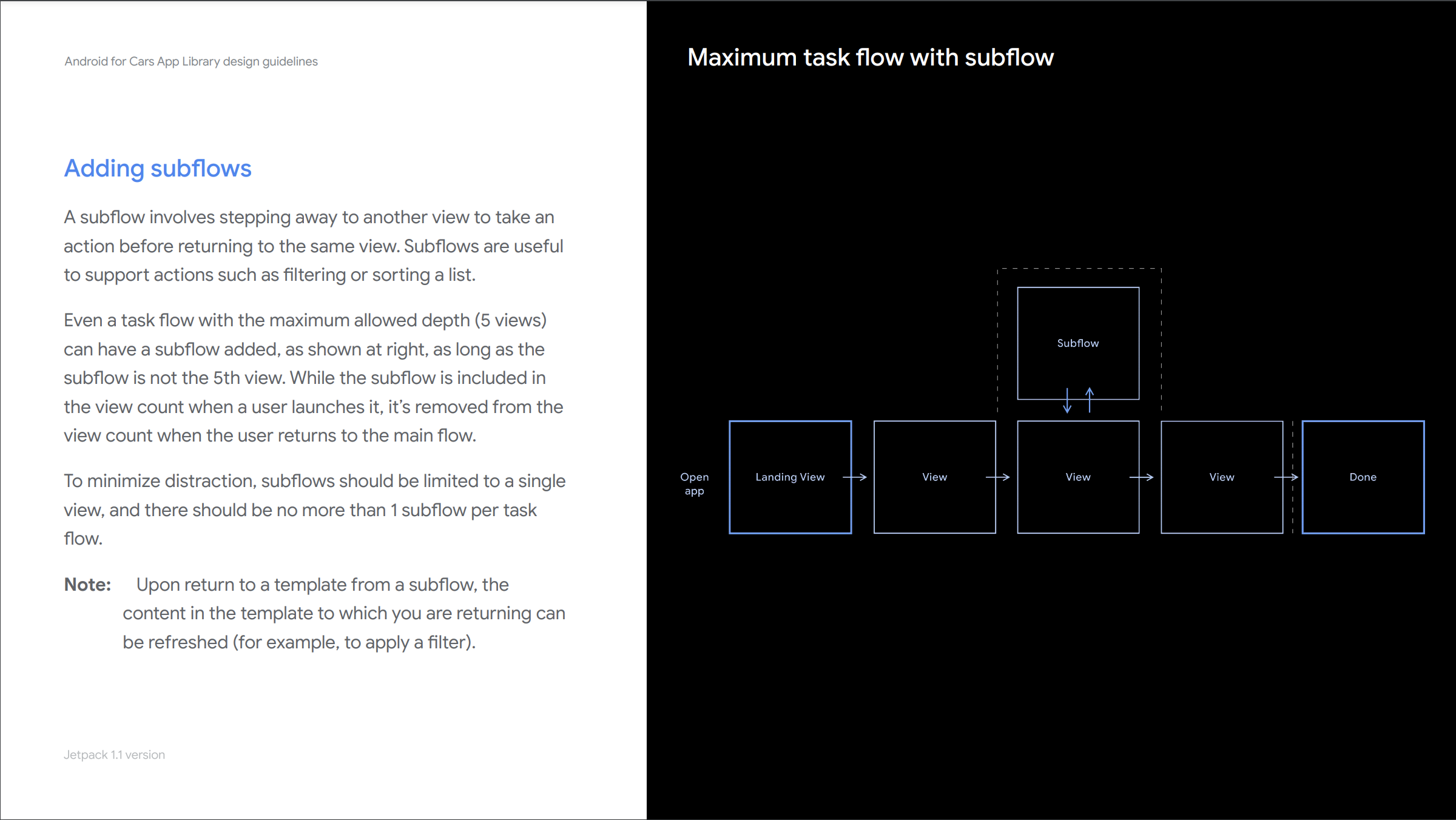
Defined a generalizable UX-restriction framework to ensure that apps were Driver Distraction optimized, yet flexible enough for developers to design meaningful experiences for their users.
research - simulator and in-car research, secondary research
worked closely with safety experts
all that worked meant that developers do not need to think about safety.
result, developers have an enforced set of rules that are simple enough to understand. team constantly evolves these base don backlog of feedback.
developers are abstracted form it because they do not have to be experts in safety to develop apps in the car.
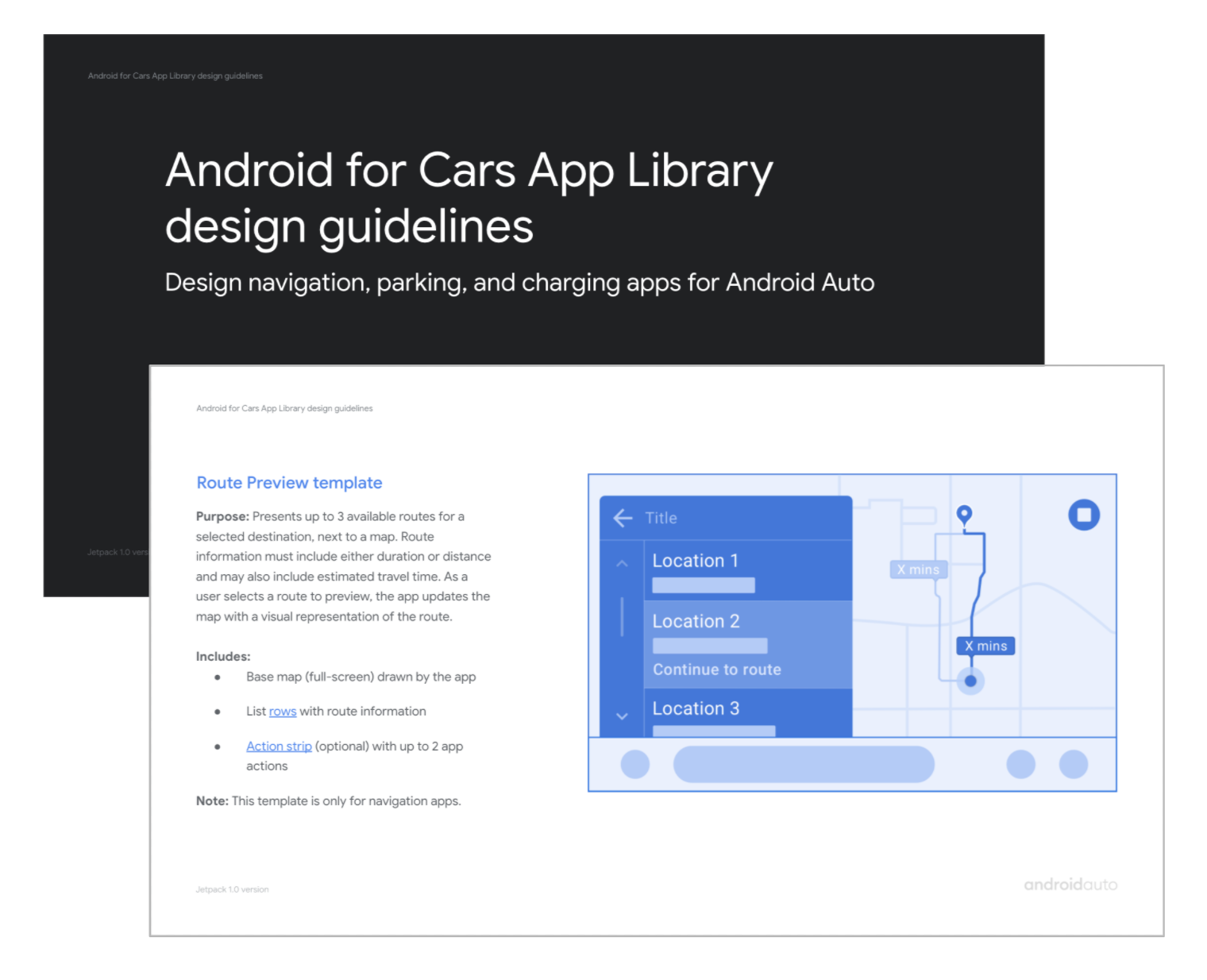
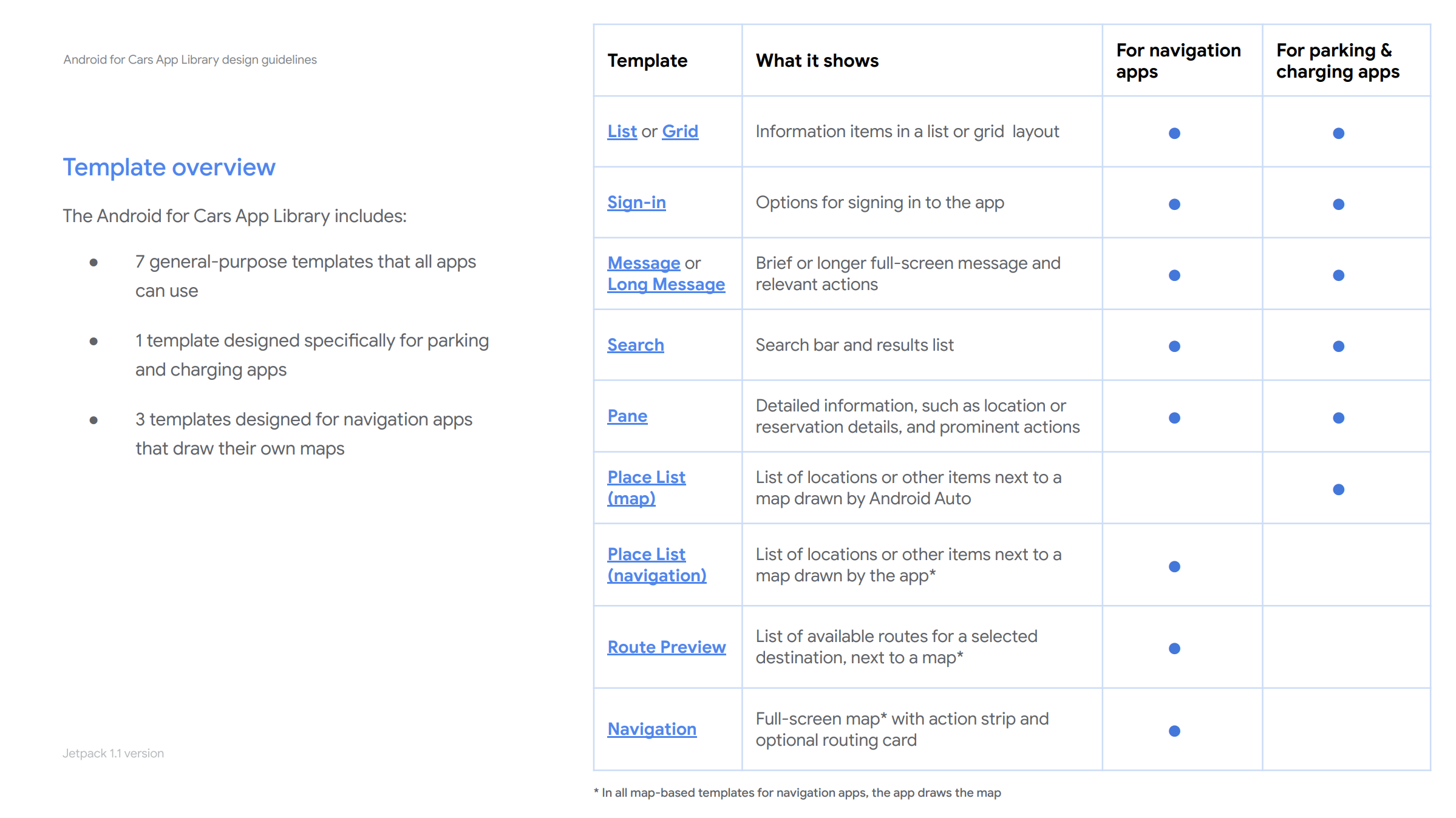
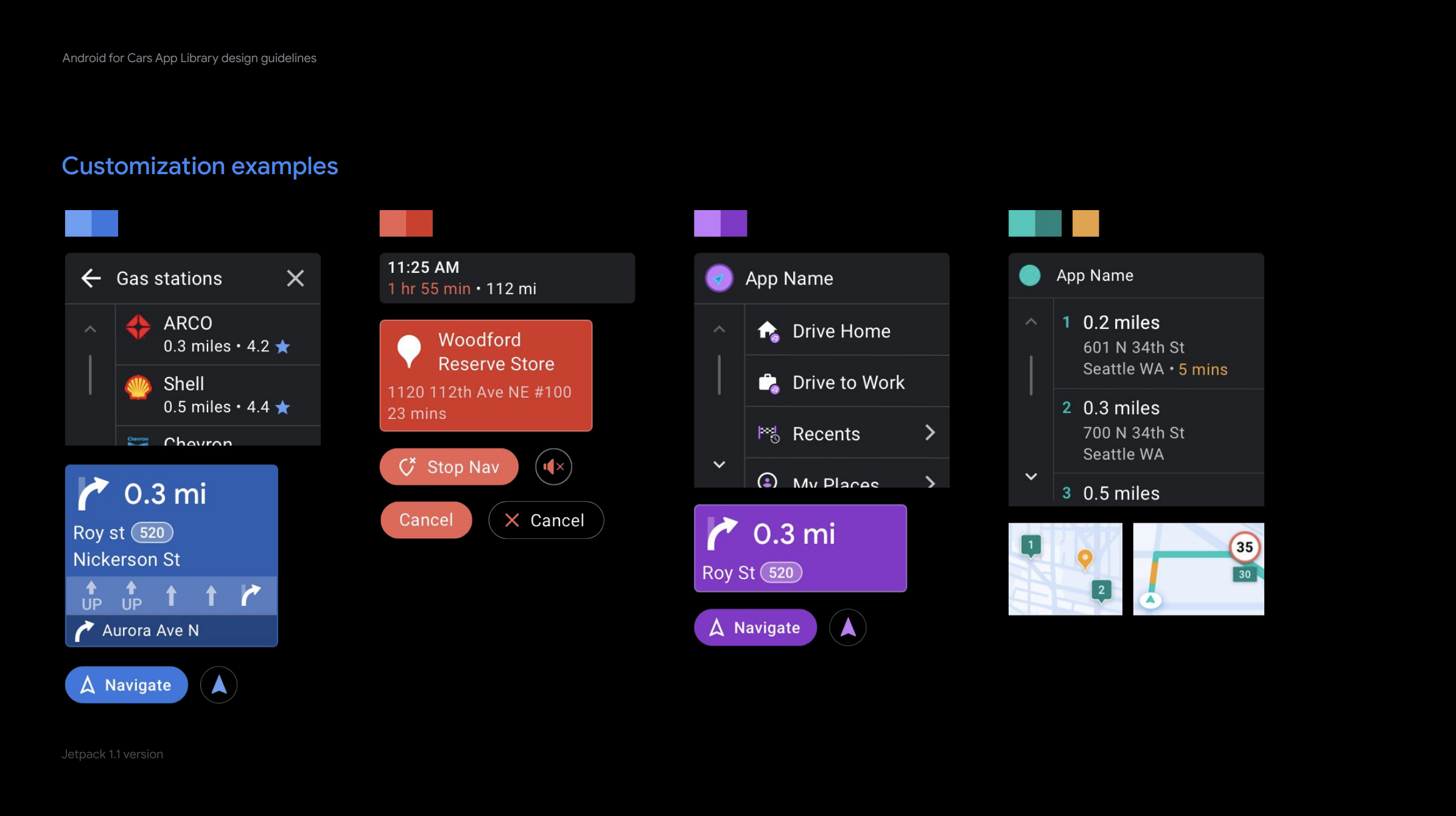
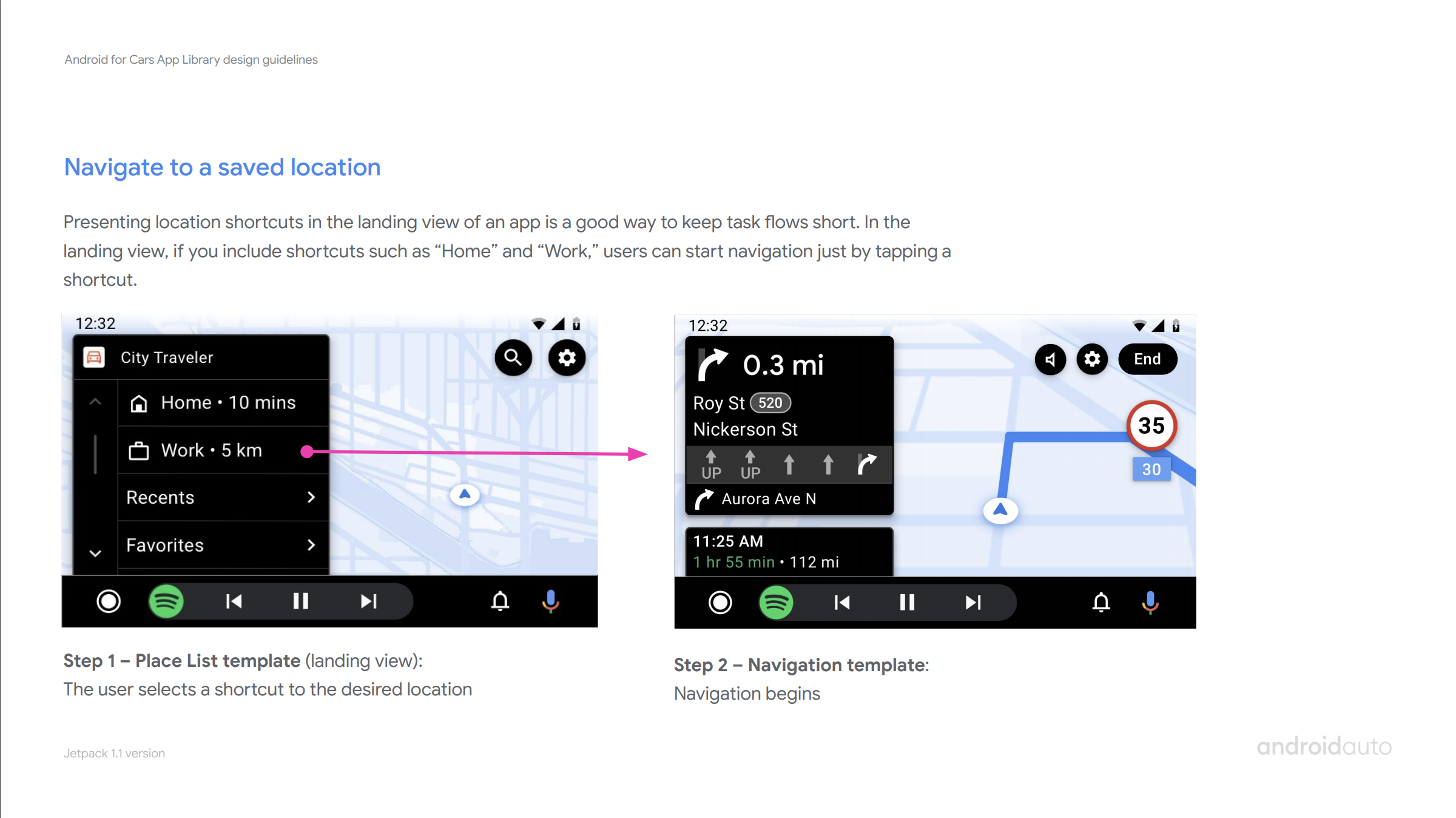
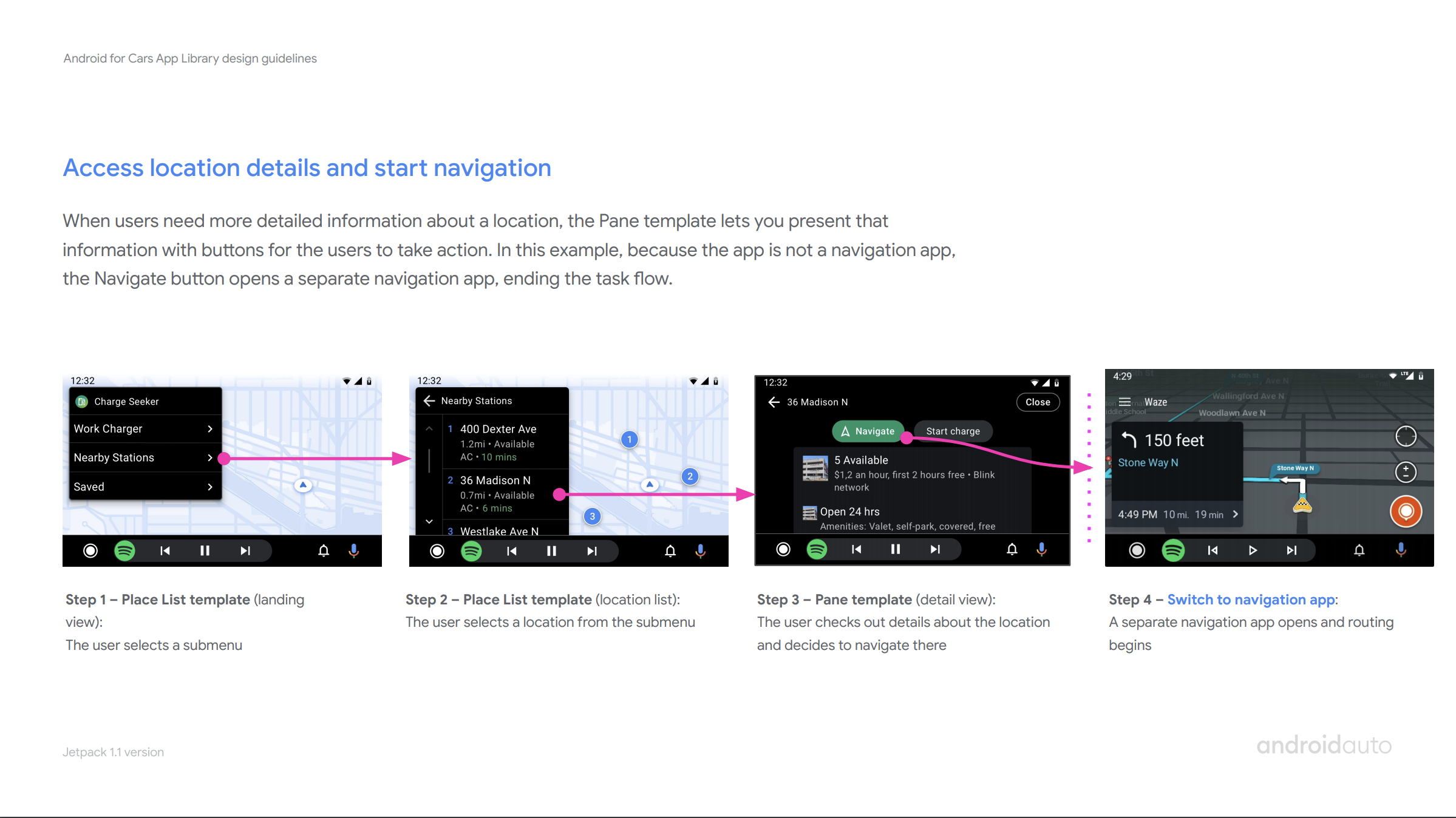
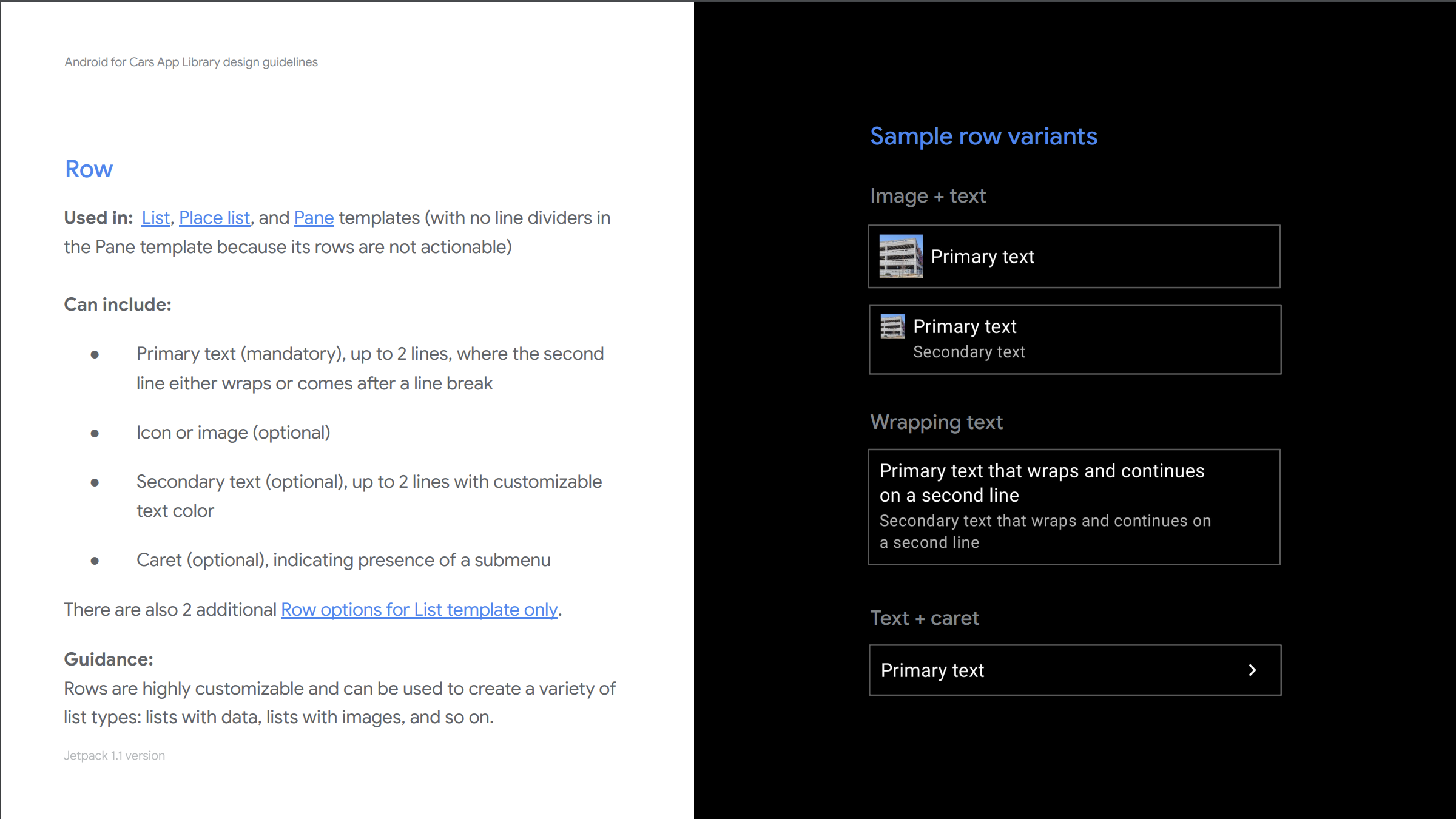
developer facing design guidelines
I worked closely with a writer and other designers to create our developer facing Design guidelines.
these guidelines aim to help developers understand library capabiltities, best practices for car apps, see sample usage created by my team.
Design guidelines published to help developers and designers create their car app easily
impact and developer feedback
efficient to develop. easy to use
cover many usecases…
What’s next?
aaos :) see IO talk at
Announced at Google I/O by my product manager and me, Car app library coming over to Android Automotive OS.
I advocated for a unified foundational design across in the library across platforms. User and developers needs rarely differ in car interfaces according to platform. With this vision, developer/designers can create a single car app design and deploy it across platforms.
2. enhance enhance enhance
we have a healthy backlog of features from developers and oems, prioritize and keep developing for needs