[Case study]
anroid for cars app library:
creating a simple and efficient way to develop car apps
for Android Auto
Design lead
product definition
research
ui design & Prototyping
Partner relationships
developer facing documentation
Project: Develop an SDK (development kit) for car app developers
Problem statement: Number 1 user dissatisfaction on Android Auto has been with the lack of apps. 76% of respondents in churned user surveys reported that missing apps was the reason they churned.
Existing ways to develop car apps required developers to design for various screen sizes, input models (rotary, touch etc.) and driver distraction requirements, bringing high cost of development and maintenance.
Android Auto needed to provide an efficient way for developers to create car apps, so that users had access to a wider app ecosystem.
Process: Initiated mid-year 2019 and launched to public early 2021. Program had an ambiguous scope at the beginning and involved close coordination with external partners as well as internal Auto/Google teams. We developed and iterated alongside early access partners, went through closed and open user testing; released as part of Jetpack in early 2021.
My role and responsibilities: I have been the UX lead and product designer for this program since early on. Worked closely with cross discipline leads to define the product. Collaborated tightly with a small team of designers and researchers as well as the engineering team, doing agile development.
final product snapshot
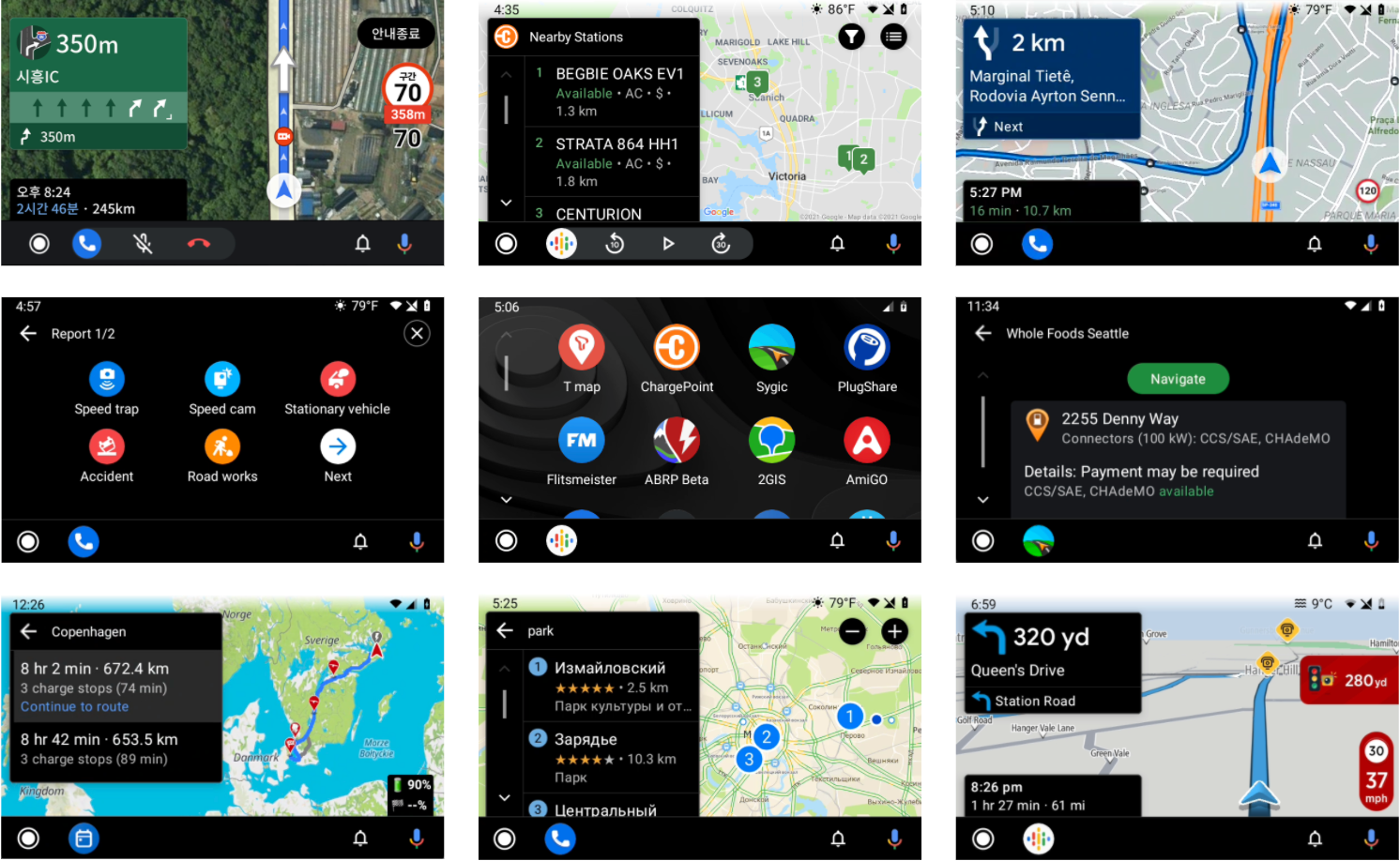
A global set of apps created with Car app library v1
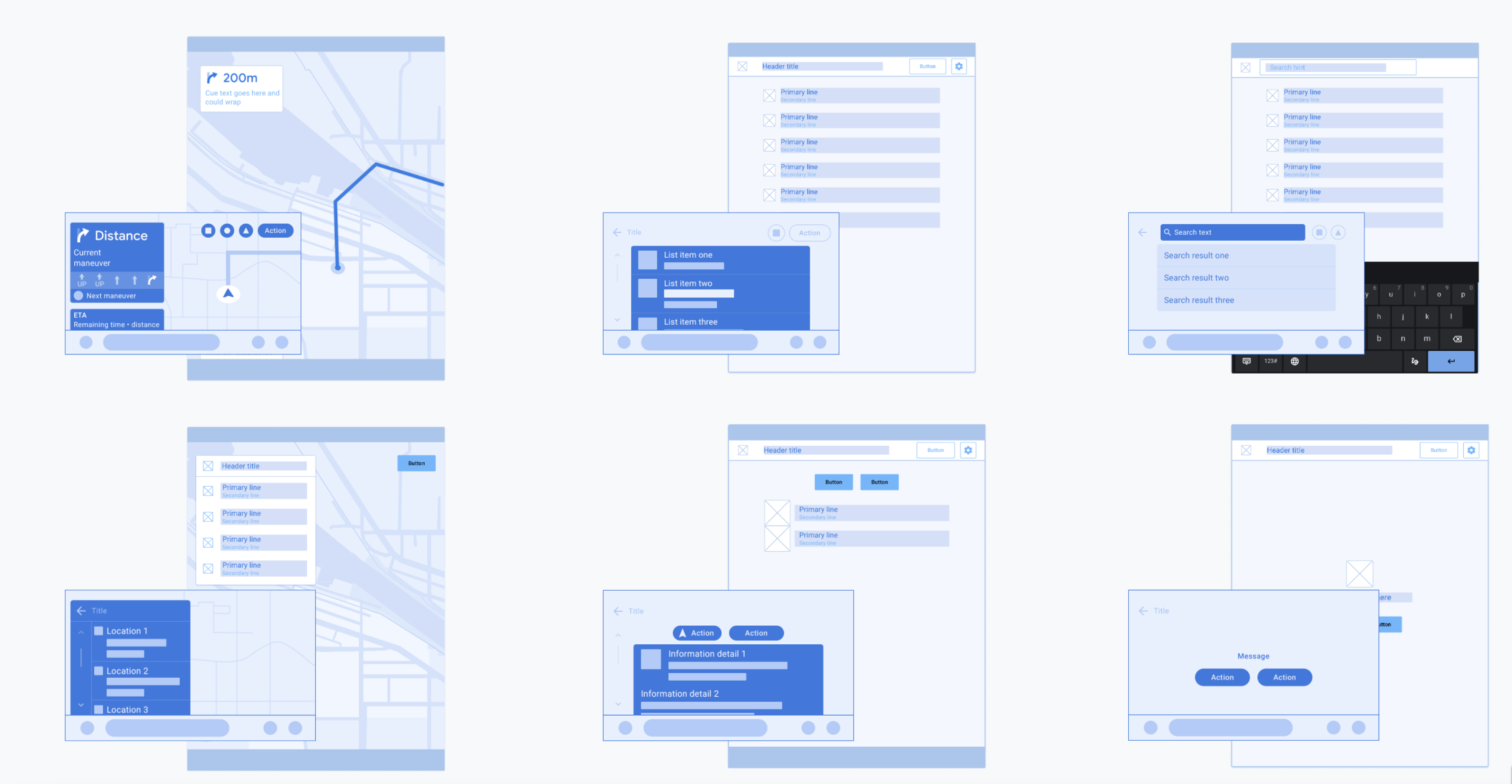
The Android for Cars App Library allows developers to bring navigation, parking, and charging apps to the car. It does so by providing a set of templates designed to meet driver distraction standards and taking care of details such as the variety of car screen factors and input modalities.
Project highlights
starting in ambiguity, and validating ideas early
The needs and end goals were known. But, where to start and how to scope the problem was ambiguous. There was no prior art for the 2 brand new app categories: Parking and charging. And very few for the navigation apps. For UX, we saw two distinct directions and we were divided on it:
Create a set of templates and app flows that are highly prescriptive. Pros: A well defined scope of experiences that we could test for safety, and potentially higher quality app experiences. Cons: Giving developers less flexibility, and risk of creating a too narrow and strict library.
Create a UI toolkit that enable developers to create any UI pattern and app flow they need. Pro: High level of flexibility for developers. Cons: Potential for lower quality end user experiences, harder to understand and test for safety, and more work for developers to start from scratch.
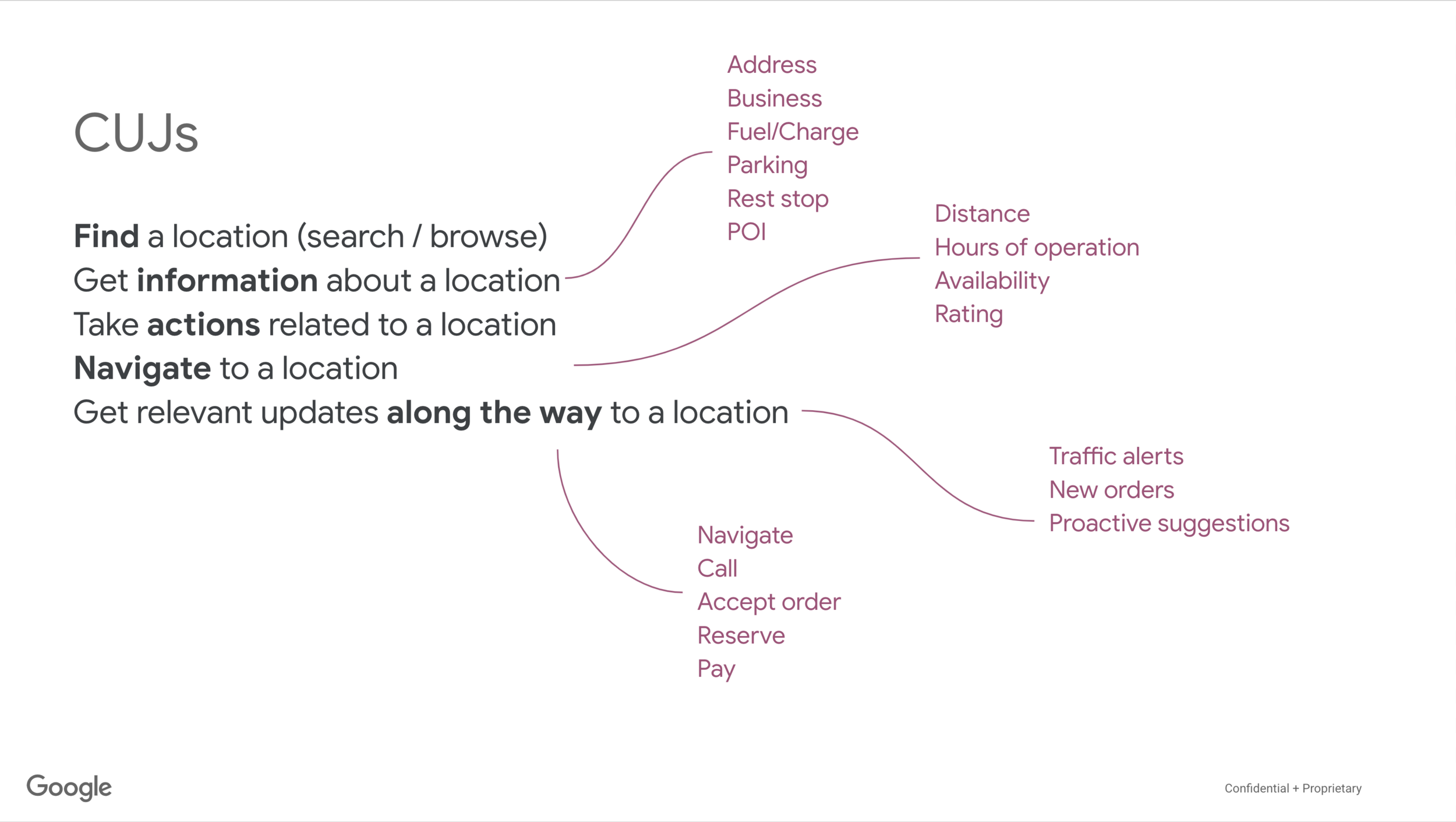
To understand the breath of user needs and features, I audited mobile apps from the 3 categories. I created sample app architecture and user flows. During the audit, I observed a high number of common patterns between apps in all categories. Using that knowledge, I collaborated with my team to develop the final direction we took:
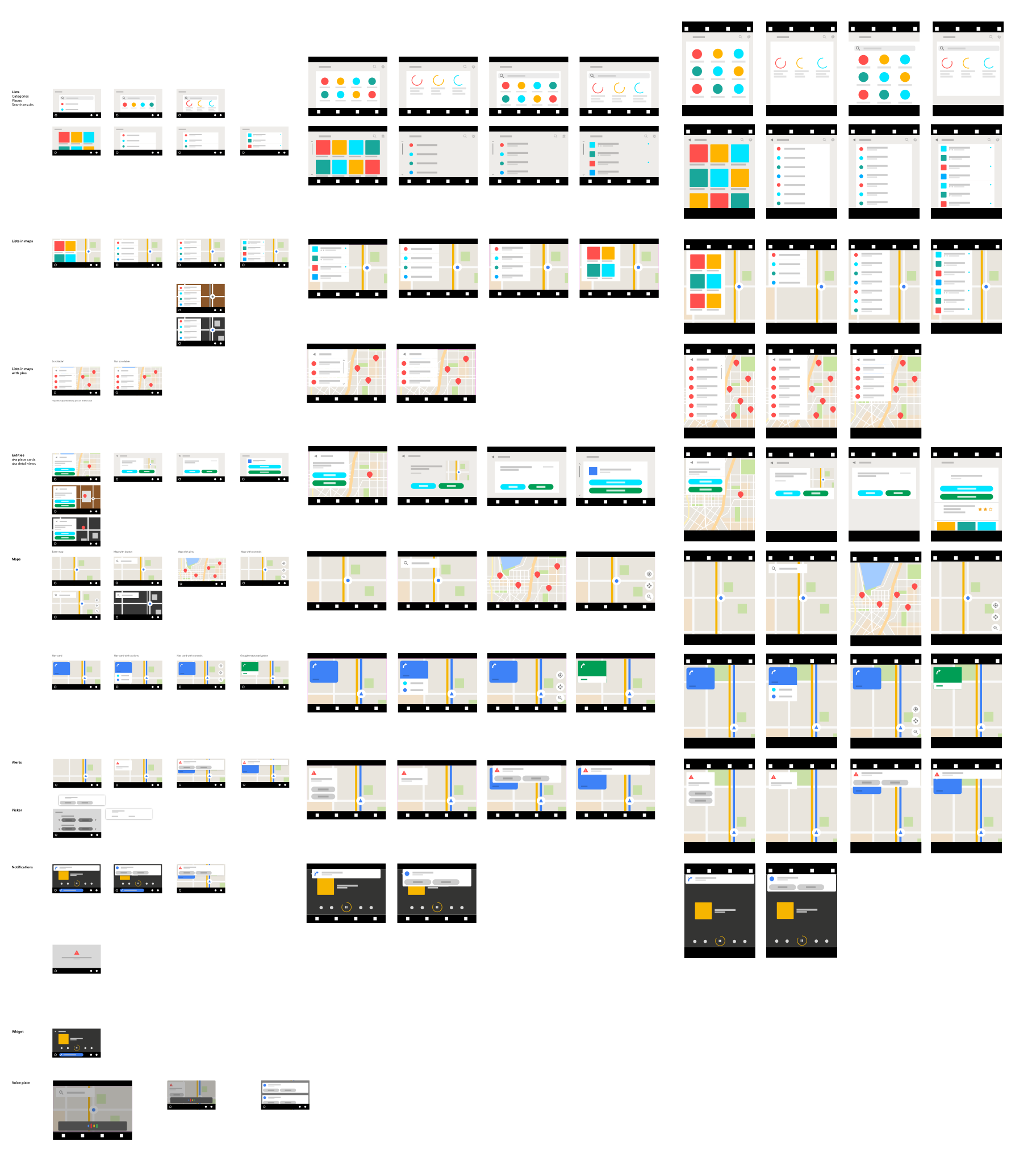
Create a set of templates with enough flexibility to let developers pick & choose which component or UI elements they want. Idea was to start here and open up the capabilities as needed. This approach meant we had a finite set of UI features to build (fast) that were based on known user needs and tasks. And, we could create a driver distraction framework as the bounds of the experience developers may create was known enough to be evaluated.
From there on, we developed an initial set of templates and component rules. I worked with early access partners to get their input via weekly meetings. This tight collaboration enabled us to get deep insights on developer and end-user needs, constantly validate our hypothesis and iterate fast.
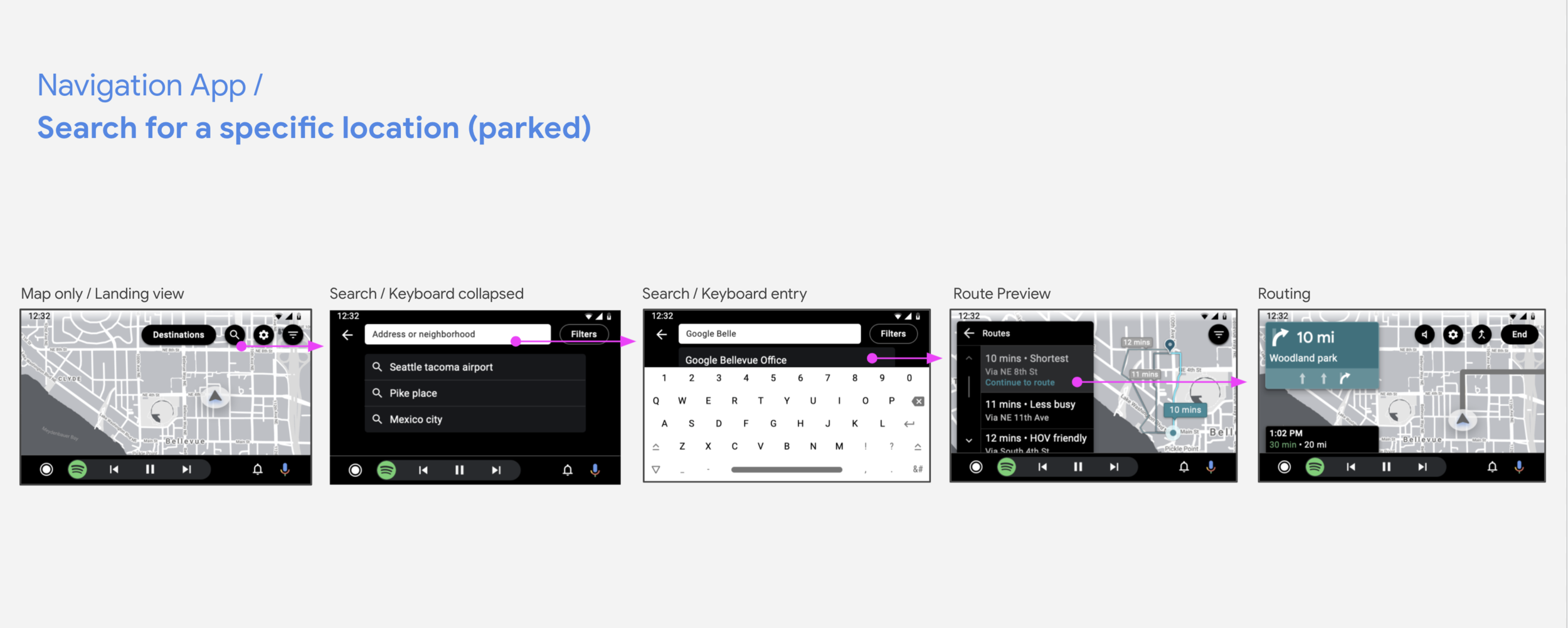
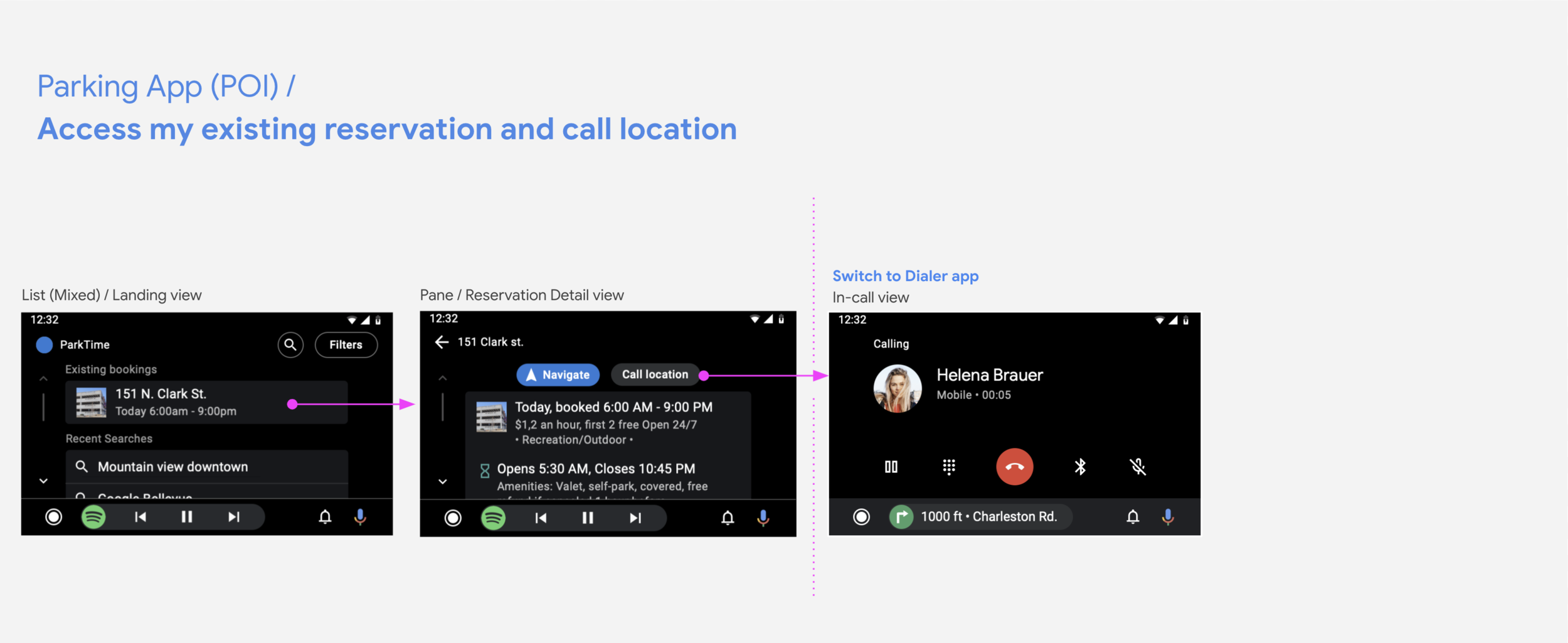
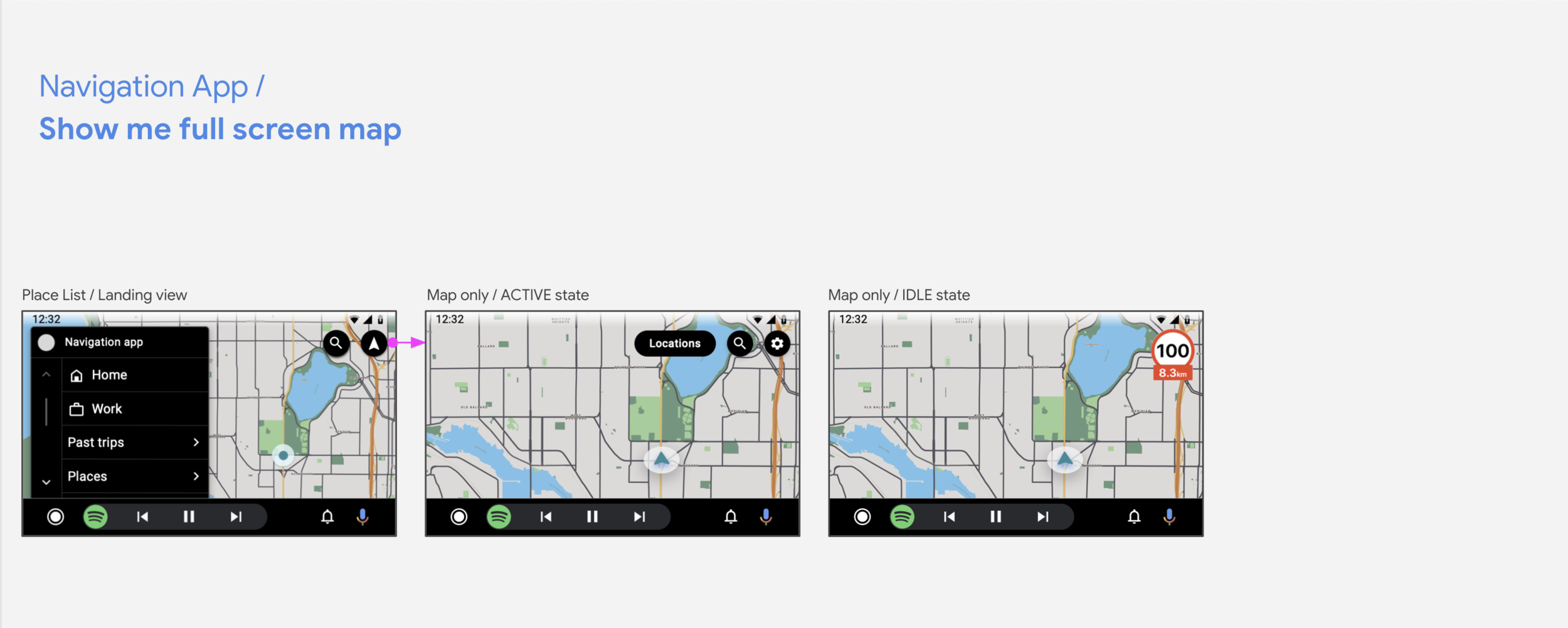
2. Design for flexibility that meet global user and developer needs
During our collaboration with early access partners, we observed how different driving conditions and user behaviors across the globe affected their product needs. All throughout the design & development phases, we strived to enable as much flexibility for developers as we could so they could answer their user and product needs.
Understanding the variety of needs, I made sure one of our main design goals was enabling developers to create their own app architecture and user flows. This meant that any template could be used for the start or end of a task; and the same task could be designed via different template sequences. I worked closely with developers and safety experts to make this flexible framework a reality.
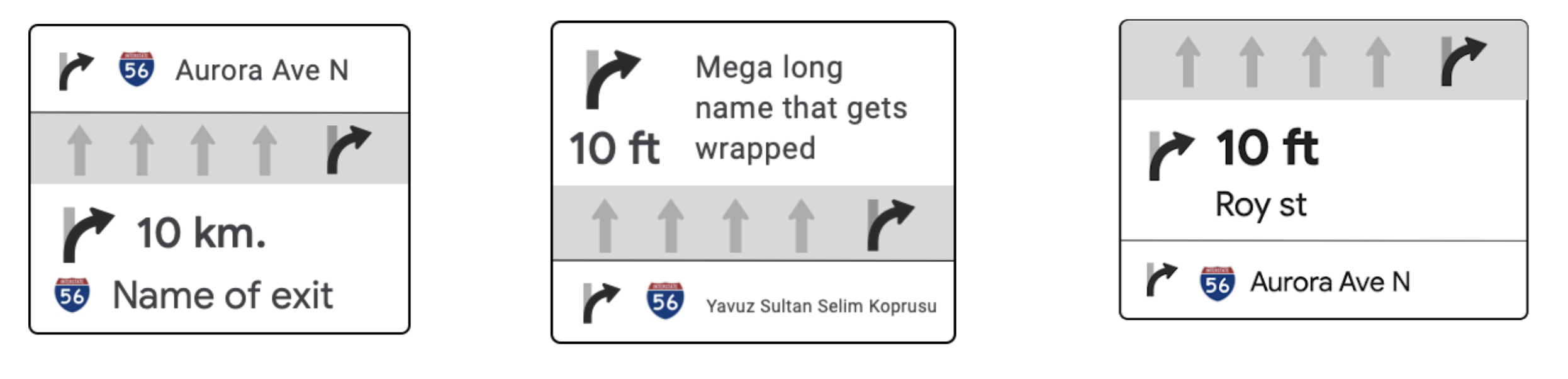
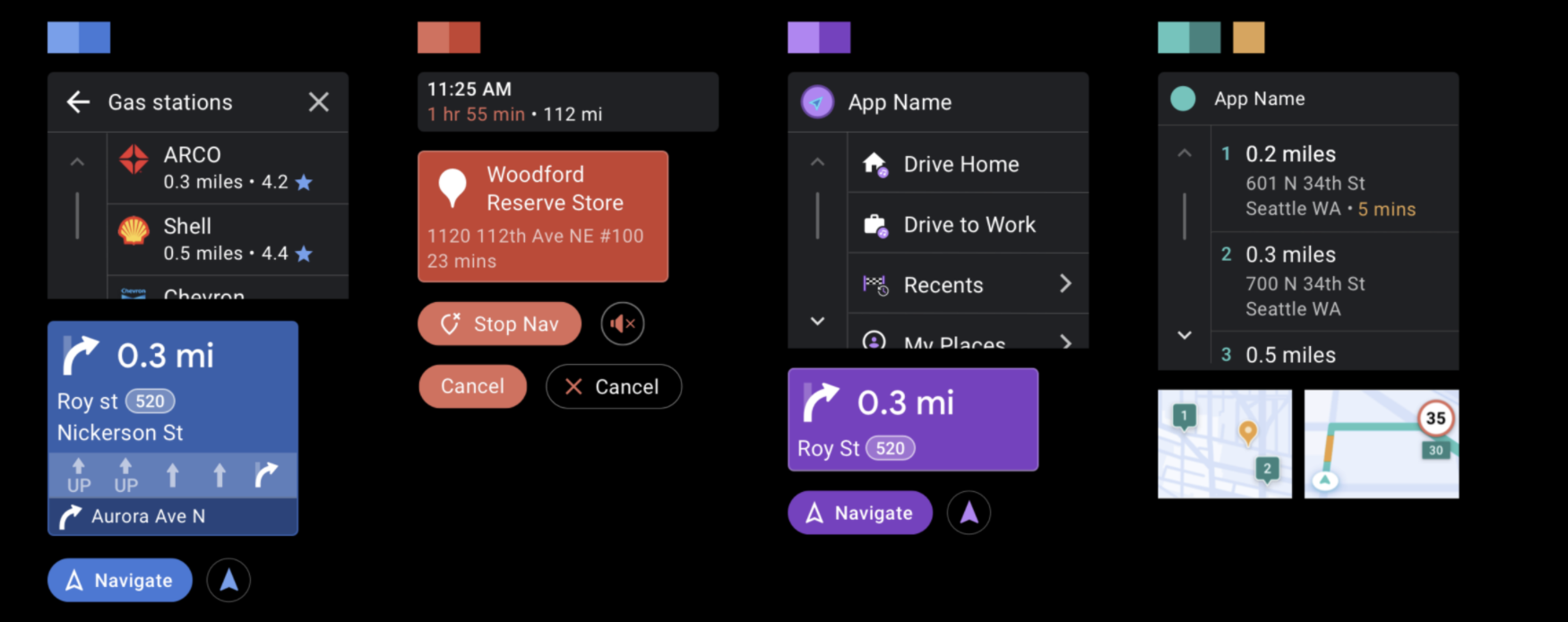
Routing card layout examples. Some apps have lane guidance on the top, some in the middle. Some favor distance while others have cue text as the primary text.
Another important part of the design exercise was designing components. Generalizing components for a variety of apps, while enabling just enough flexibility was challenging. I depended on balancing user and developer needs to come up with information hierarchy.
For example on routing card, there were several viable layout options. Research showed that users primarily needed the immediate step (distance and road/exit name). This was also the most common implementation by developers. We learned that lane guidance was only important in some countries and to some developers/users. I designed the component to feature immediate step as the first and mandatory section; and lane guidance as the second and optional section.

Example variations of routing component
Design process took multiple iterations to get all the variations and rules right. In the end, my initial template and component designs evolved as a result of tight partnerships with developers and fast iterations by the team.
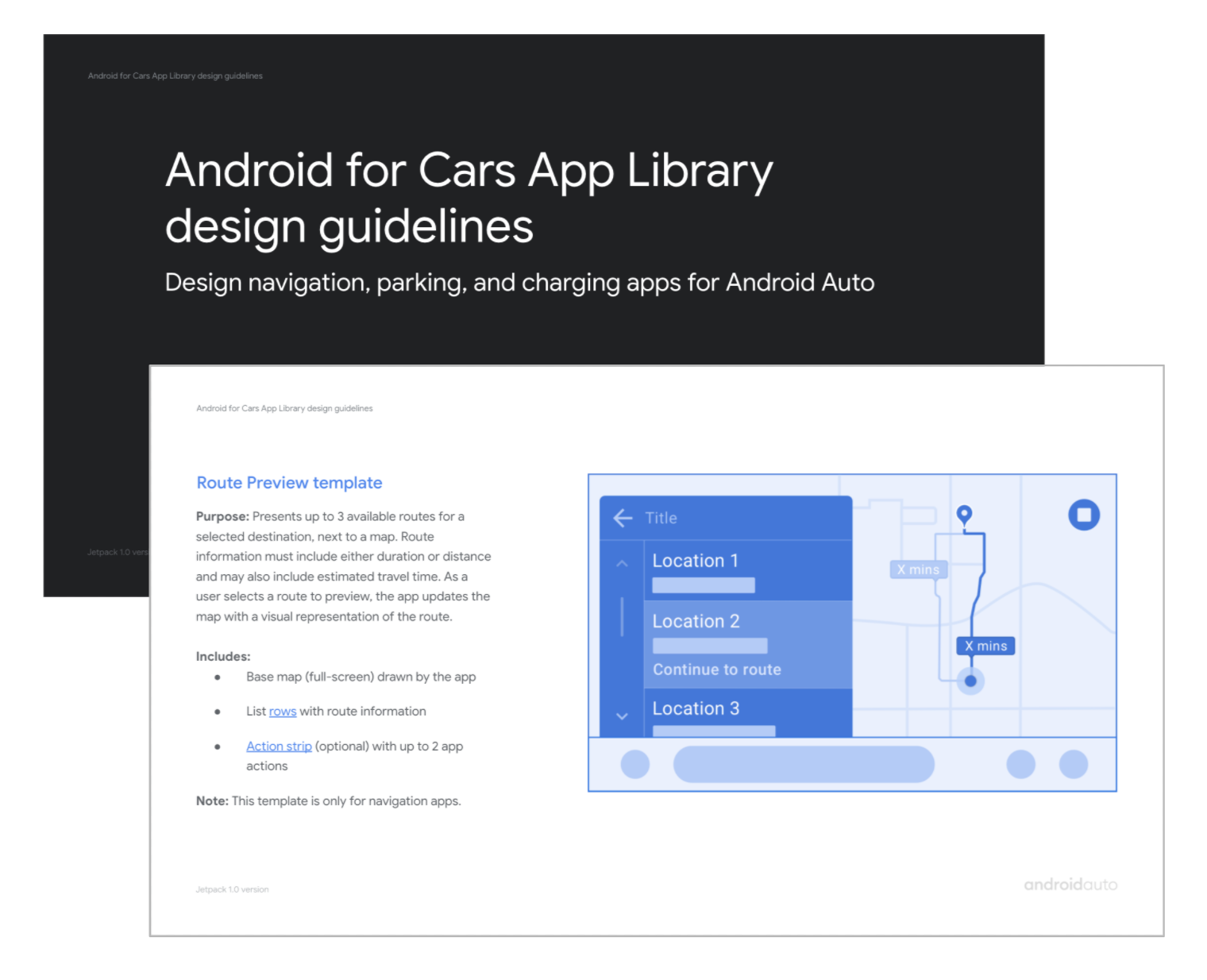
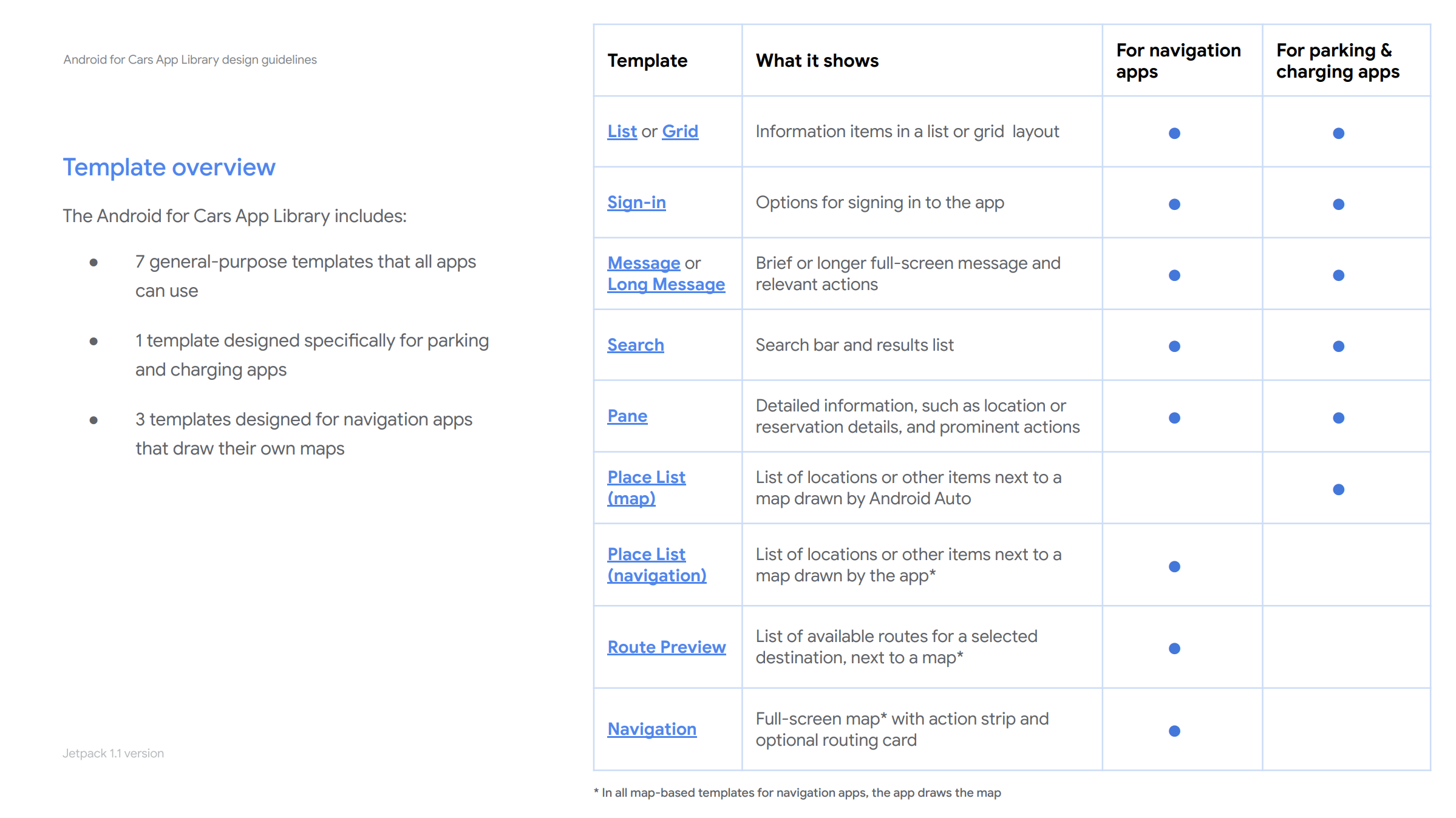
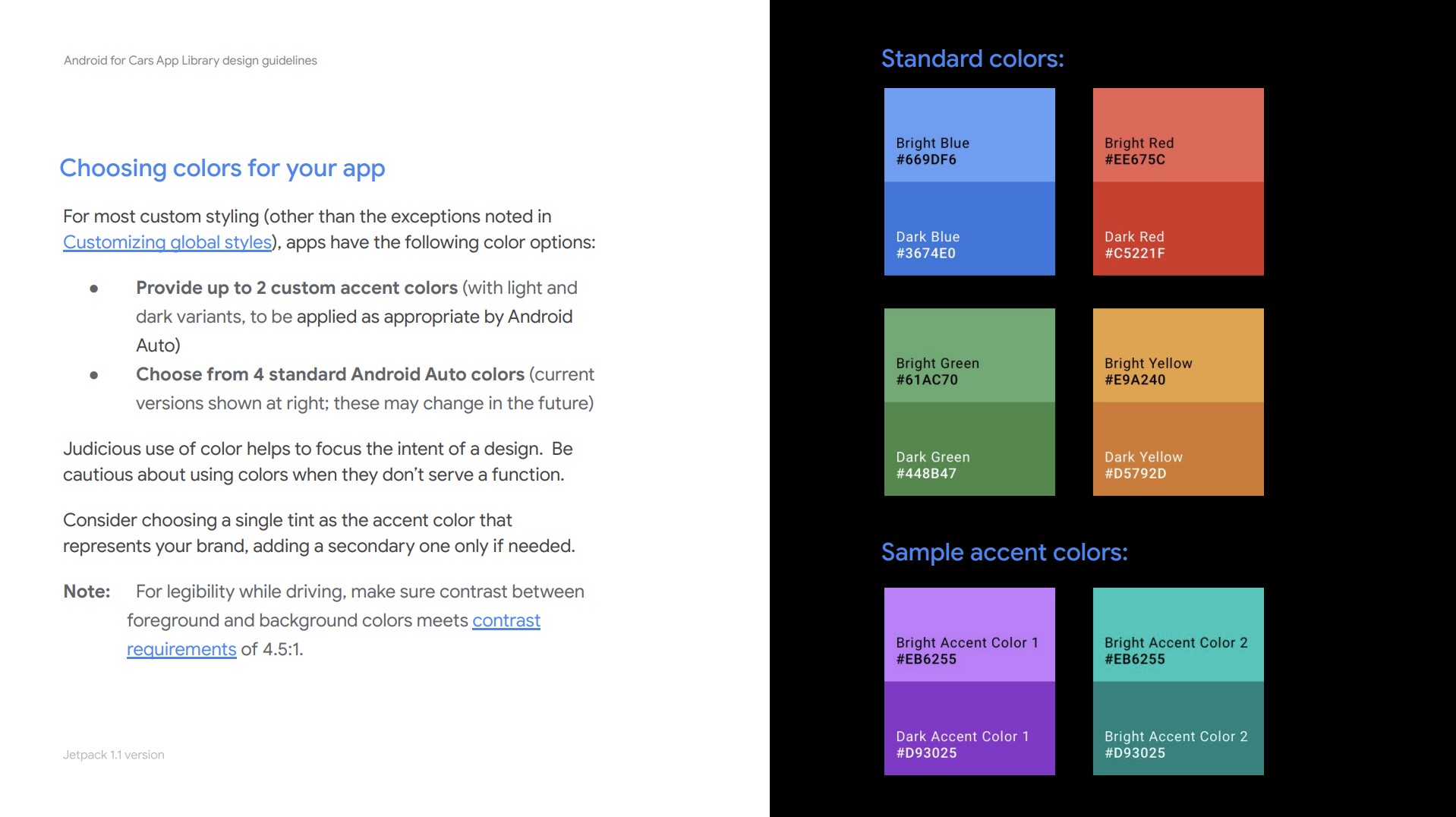
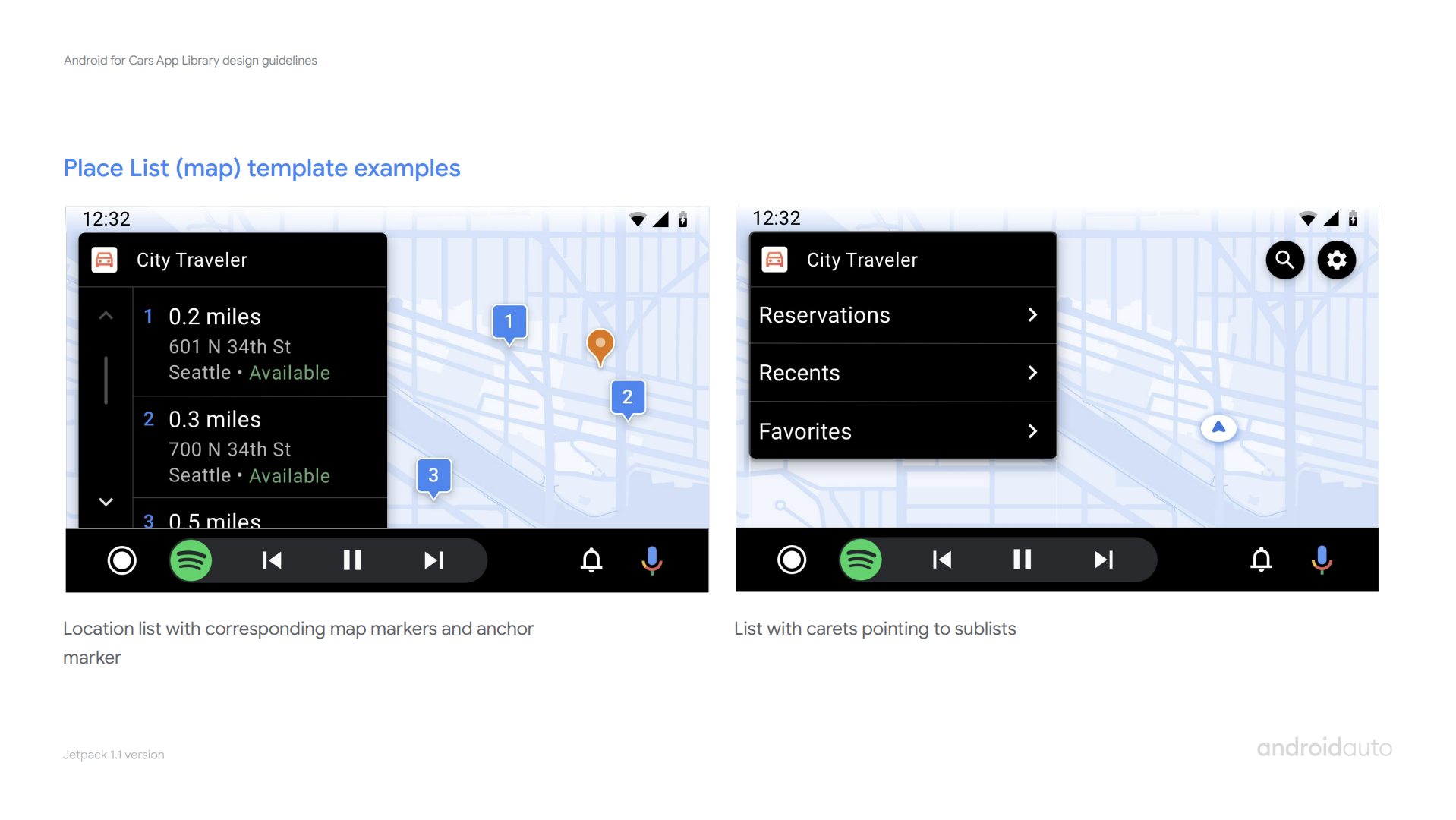
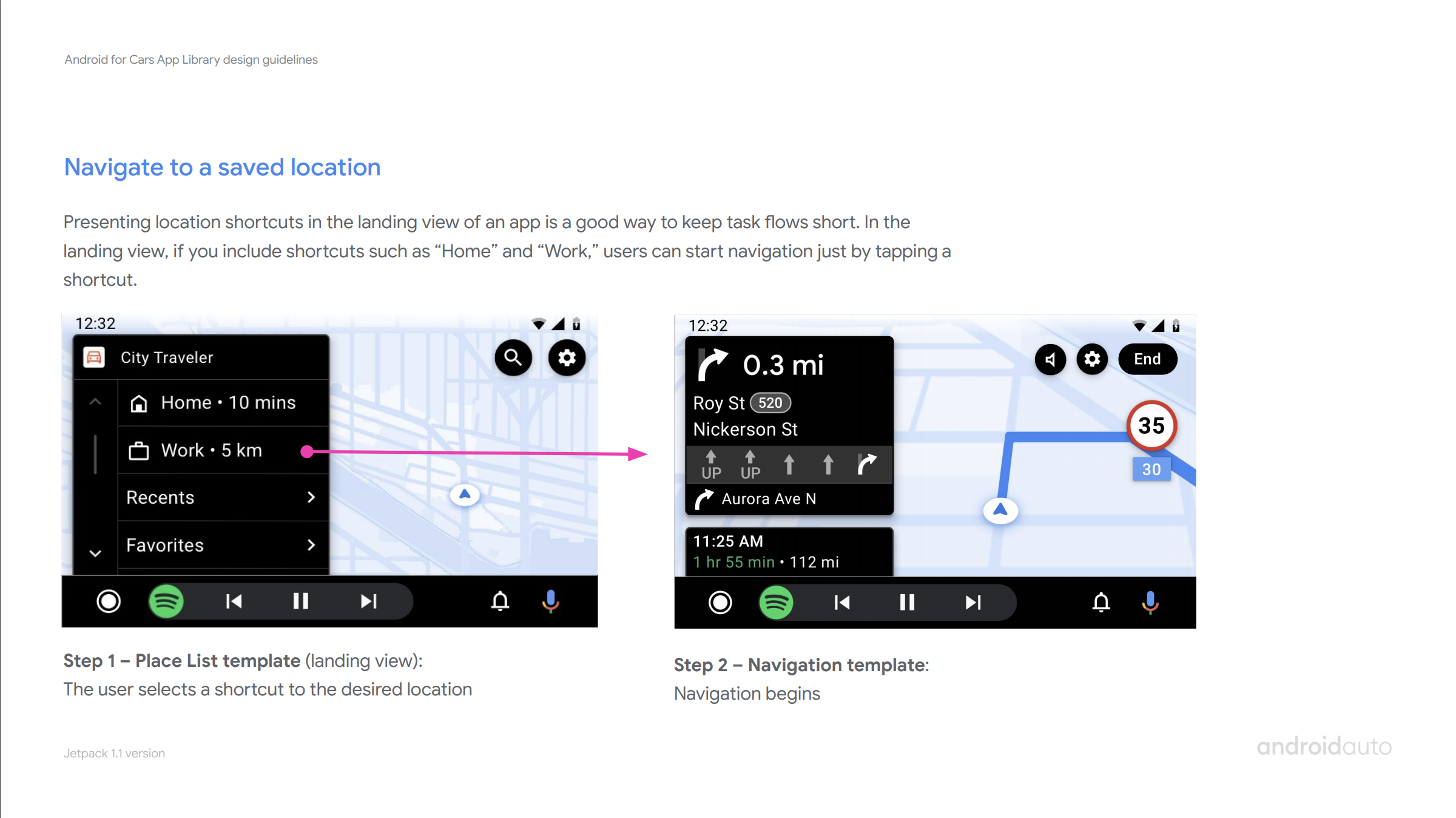
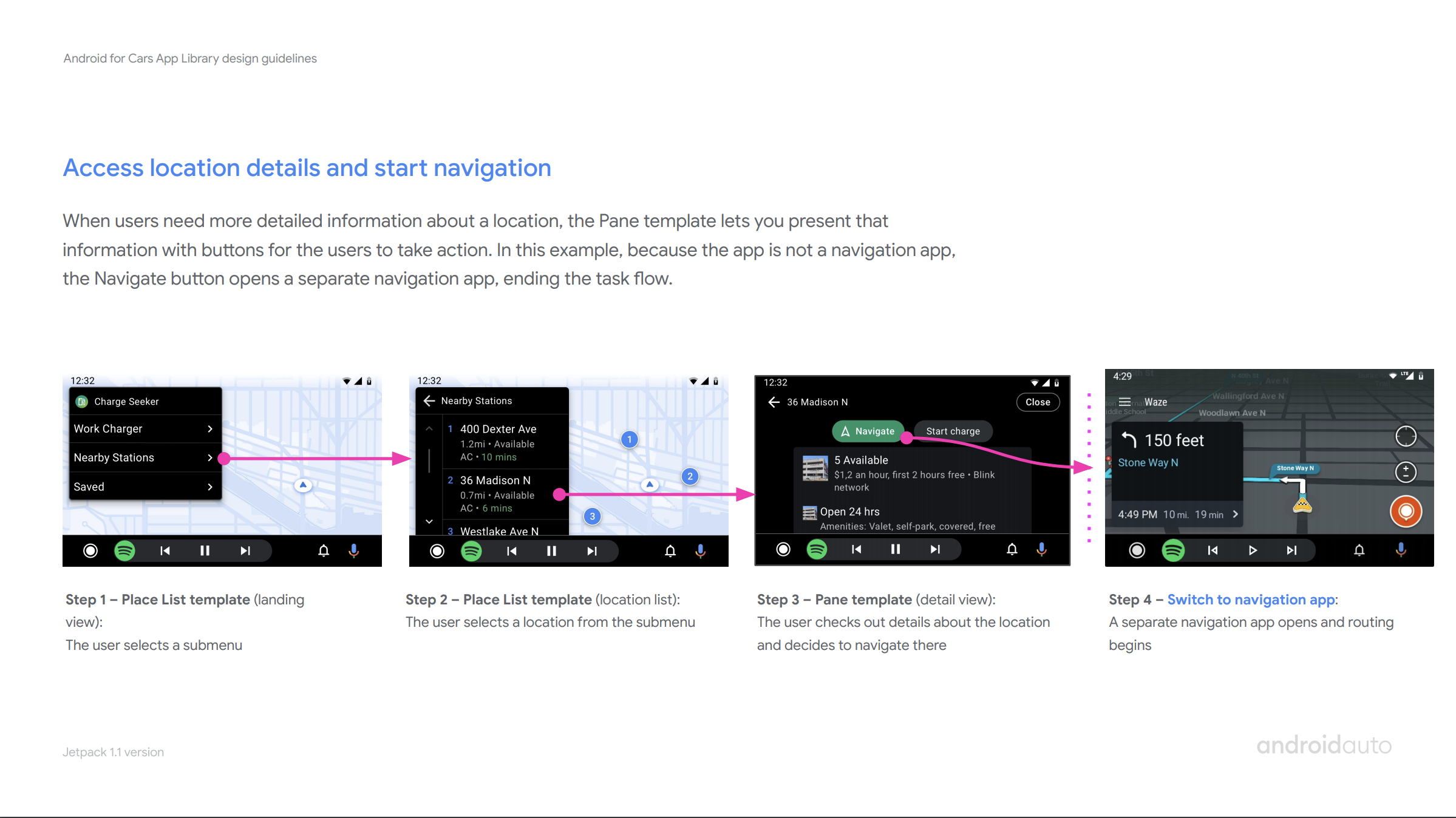
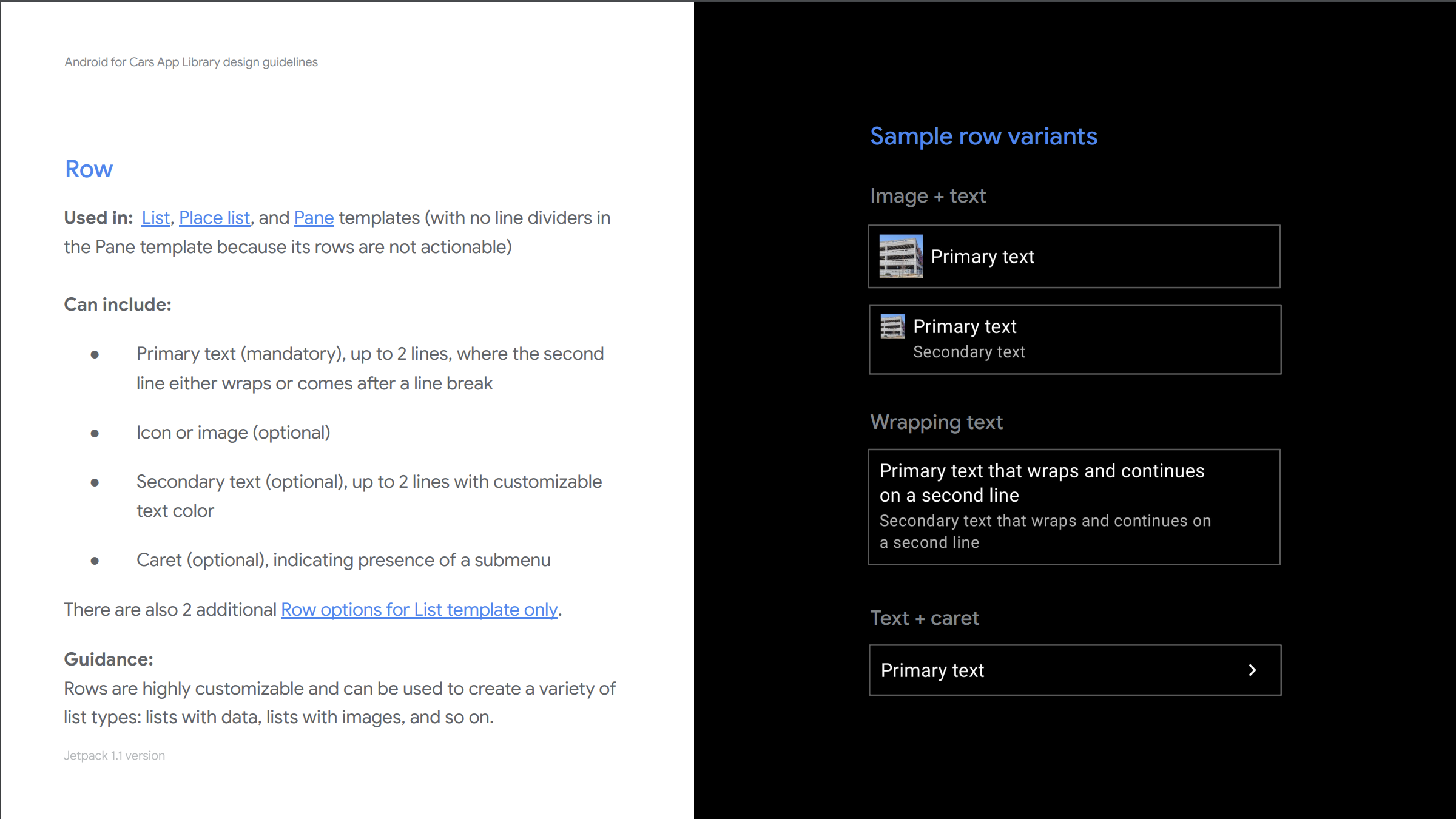
3. developer facing design guidelines to aid all developers
As we were opening the library to general accessibility, I worked closely with a UX writer and visual designer to create our developer facing Design guidelines. These guidelines aim to help all developers/designers understand library design capabilities, rules and various car app best practices.
This is an ever-evolving resource I own and iterate with the team.
impact
There are currently 200+ apps built with the library. By enabling a set of global developers, we observe user growth in certain countries where Auto used to have little presence in.
Developer feedback has also been very positive. Partners reported building apps with very little handholding, even in a matter of days. Signaling our success in creating an efficient and simple way to build car apps.
What’s next?
Other than the healthy backlog of features we have, at Google I/O 21 we announced that Car app library is soon being enabled on Android Automotive OS. Bringing our growing car app ecosystem to all car platforms.
From early on, I have been advocating for a unified library across car platforms; as app-related user and developer needs rarely differ. With this strategy, developers can design a single car app and deploy it across platforms. I am currently leading the efforts to make this vision a reality.