[Case study]
anroid for cars app library:
creating a simple and efficient way to develop car apps
for Android Auto
Design lead
product definition
research
ui design & Prototyping
Partner relationships
developer facing documentation
Project: Develop an SDK (development kit) for car app developers
Problem statement: Number 1 user dissatisfaction on Android Auto has been with the lack of apps. 76% of respondents in churned user surveys reported that missing apps was the reason they churned.
Existing ways to develop car apps required developers to design for various screen sizes, input models (rotary, touch etc.) and driver distraction requirements, bringing high cost of development and maintenance.
Android Auto needed to provide an efficient way for developers to create car apps, so that users had access to a larger app ecosystem.
Process: This effort was initiated mid-year 2019 and launched to public early 2021. It had an ambiguous scope at the beginning and involved close coordination with external partners as well as internal Auto/Google teams. We developed and iterated alongside early access partners, went through closed and open user testing; released as part of Jetpack in early 2021.
My role and responsibilities: I have been the UX lead and product designer for this program since early on. Worked closely with cross discipline leads to define the product. Collaborated closely with a small team of UXers (visual designer, motion designer, product and safety researchers) as well as the engineering team on a daily basis, doing agile development.
final product snapshot
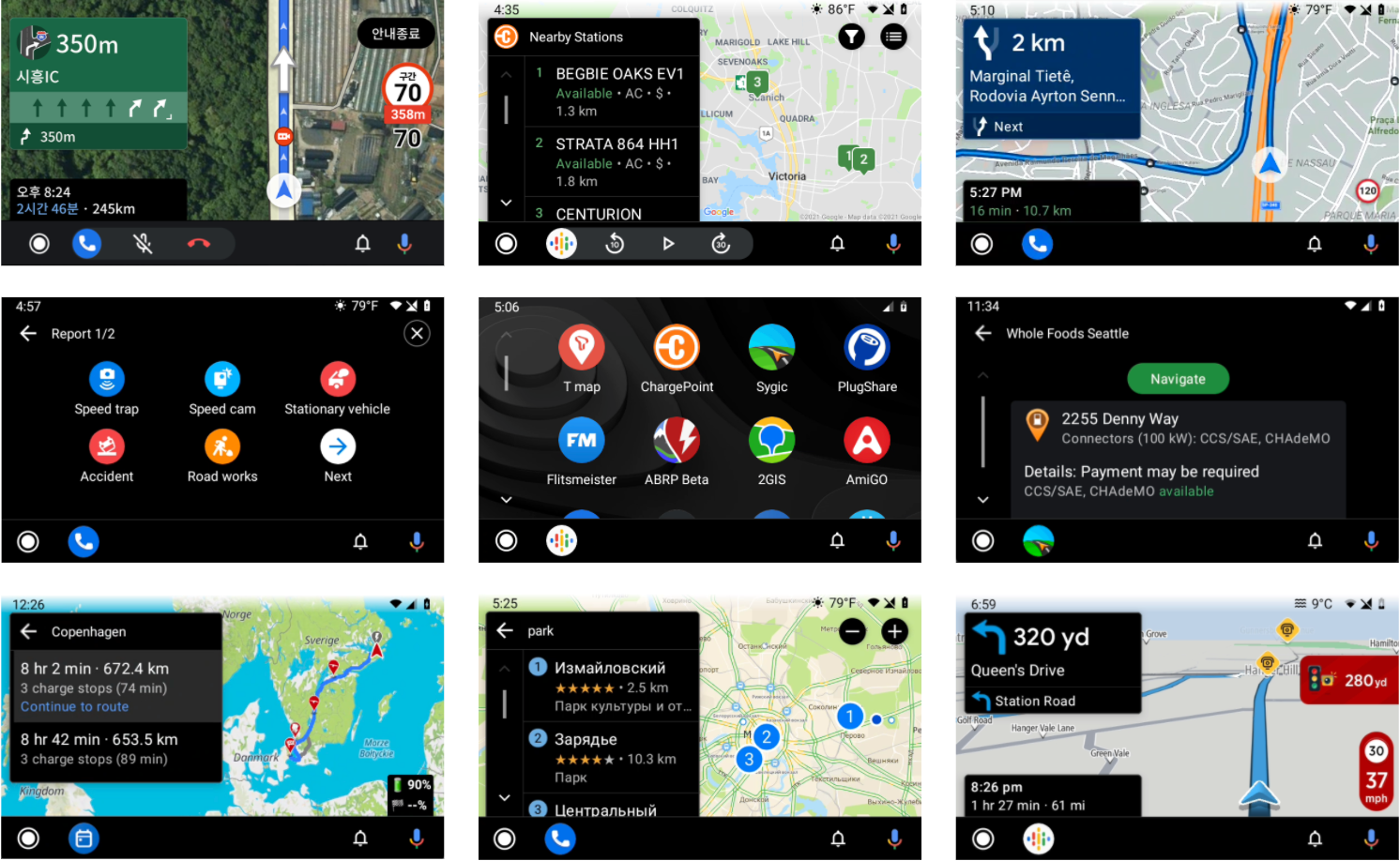
A global set of apps created with Car app library v1
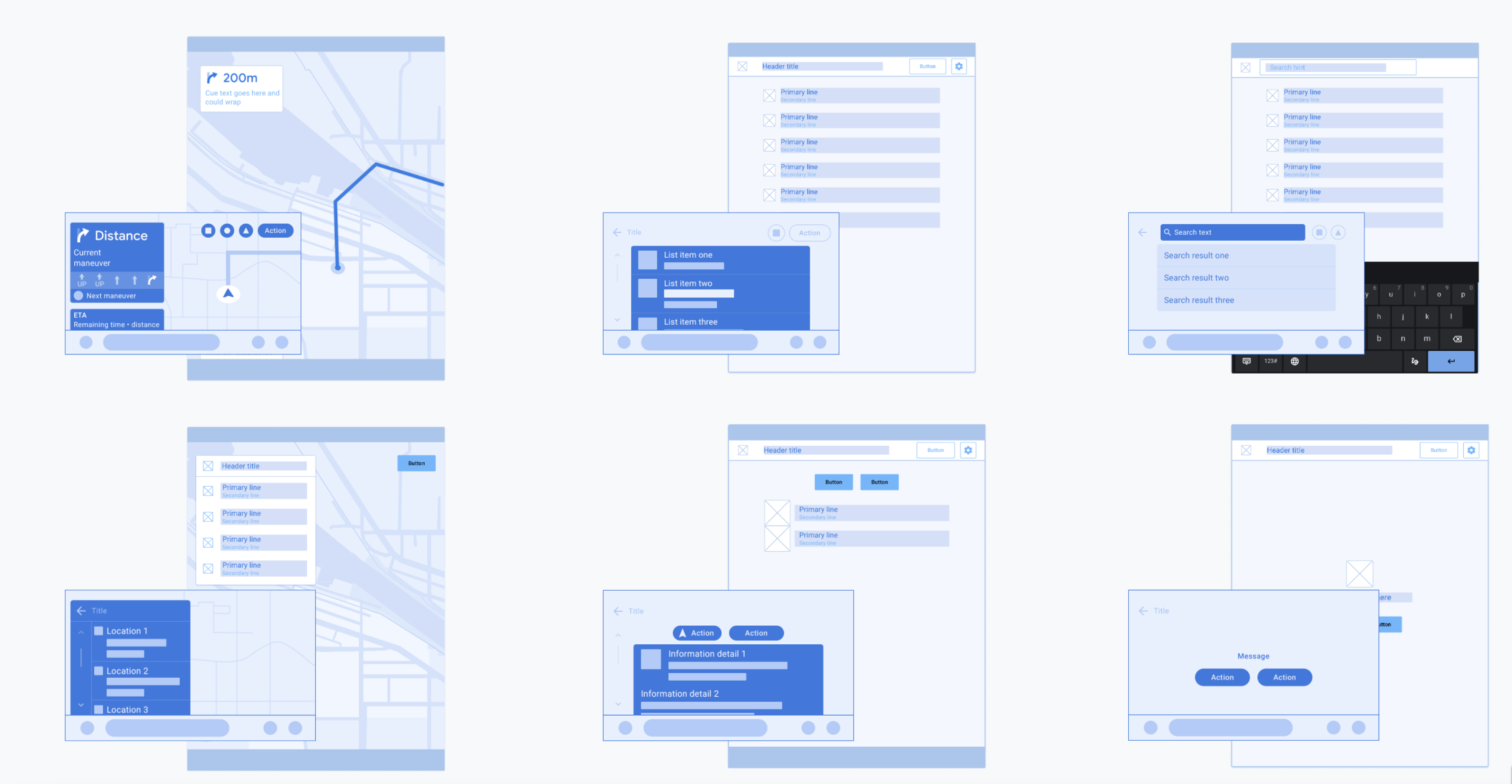
The Android for Cars App Library allows developers to bring navigation, parking, and charging apps to the car. It does so by providing a set of templates designed to meet driver distraction standards and taking care of details such as the variety of car screen factors and input modalities.
Project highlights
starting in ambiguity, and validating ideas early
The needs and end goals were clear. But, where to start and how to scope the problem was ambiguous. There was no prior art for the 2 brand new app categories, parking and charging. And very few for the navigation apps.
We saw two distinct directions for how to approach the UX, and the team was split on it:
Create a set of templates and flows that are highly prescriptive and could only be used for certain use cases. Pros were: Known scope, that we could test for safety, and the defined end user experiences apps could create. Cons were: Giving developers less flexibility and the risk of a too narrow and strict library.
Create a UI toolkit that enable developers to create any pattern and flow they need. Pro was: High level of flexibility for developers. Cons were: Potential for lower quality end user experiences, harder to understand/test potential distraction, and potential to be creating more work for developers.
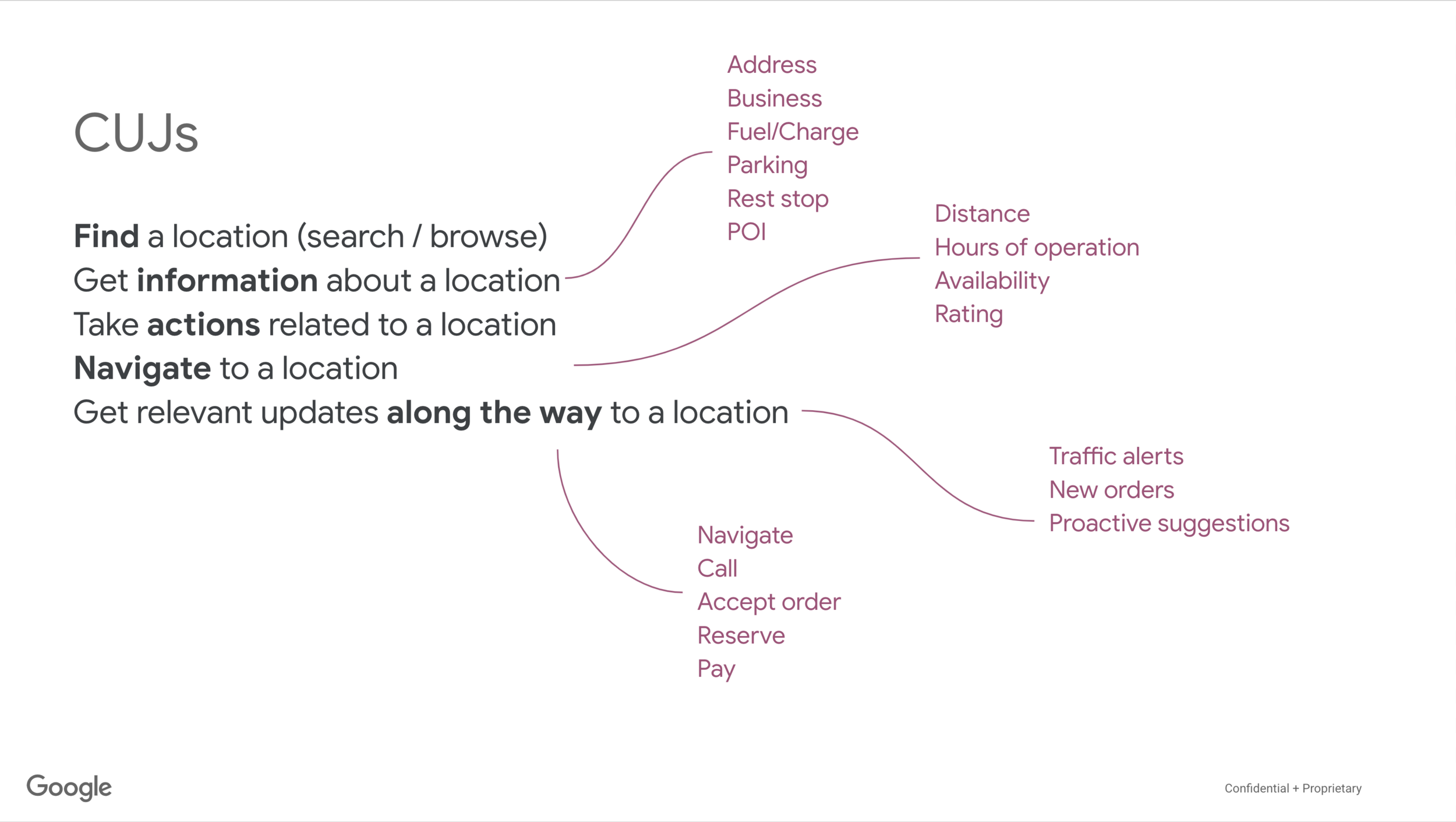
I audited mobile apps from the 3 categories we decided to target, to understand the breath of user needs and features. Created sample architecture and user flows for potential app experiences. During the audit, I observed a high number of common patterns between apps in all categories. Using that knowledge, I proposed an alternate approach: Create a set of templates with enough flexibility to let developers pick & choose which component or UI elements they want. Idea was to start here and open up the rules as needed. This approach meant:
We had a finite set of UI features to build (fast) that were based on known user needs and tasks.
It meant less work for developers as they’d not need to start from scratch.
We could create a driver distraction framework as the bounds of the experience developers may create was known enough to be evaluated.
From there on, we developed an initial set of templates and component rules for each template. Then, we worked with early access partners to get their input via weekly meetings. This tight collaboration enabled us to get deep insights on developer and end-user needs, constantly validate our hypothesis and iterate fast.
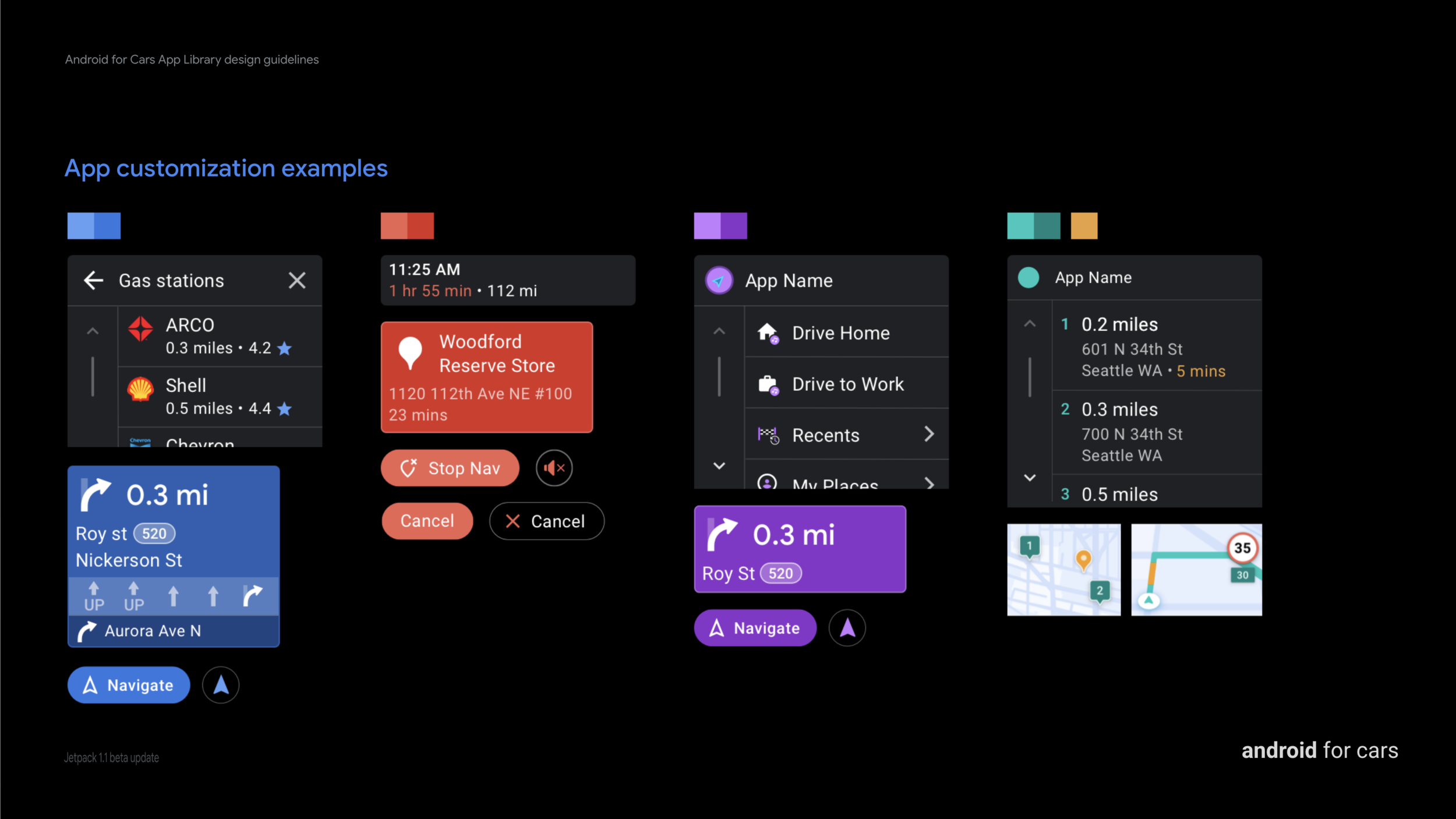
2. Design for flexibility that meet global user and developer needs
When we ran designs by partners from different parts of the world, we often realized how the different driving conditions and user behaviors affected the app needs and experiences. All throughout design & development phases, we strived to enable as much flexibility for developers as we could.
One important part of the design exercise was designing components. Generalizing components (so we can build and test for usability and safety) while enabling flexibility for app requirements was challenging to say the least.
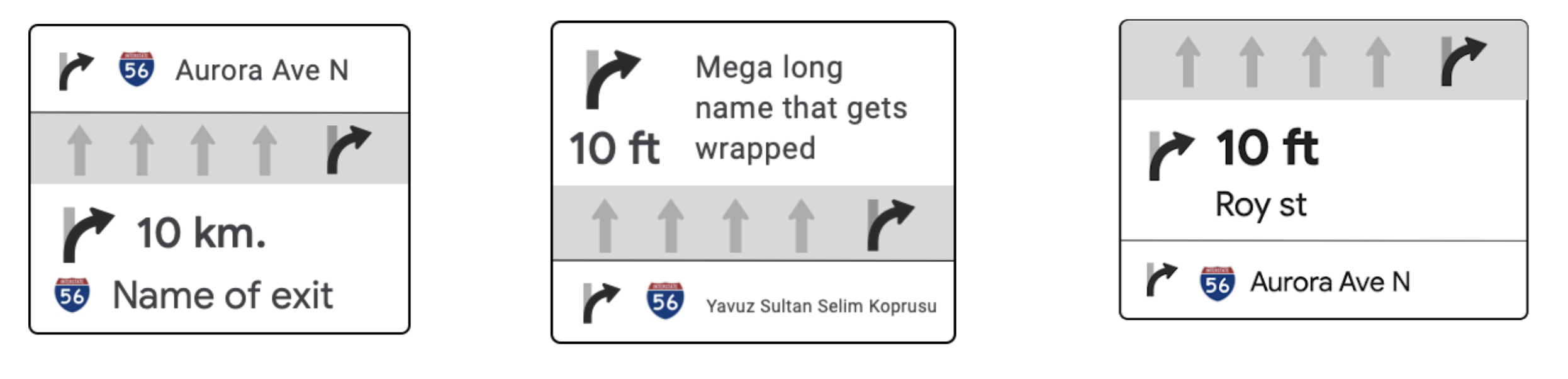
Routing card examples of layout variety. Some apps have lane guidance on the top, some in the middle. Some favor distance and some cue text as the primary text to highlight.
Example above shows how an app could create the information architecture of routing card in many ways. When generalizing the component, i depended on balancing user needs and use cases we learned from developers. From research we knew that users first and foremost looked for the immediate step (distance and road/exit name). This seemed to be the most common implementation by developers as well. I placed that information as the first section.
Some apps did not have lane guidance but when present, it was relevant to the current step.I made it the second section while keeping it optional.
As we got feedback we learned various needs from developers and incorporated them into the design as well:
In Korea, drivers needed to see large images on complex junctions. This became our additional complex lane guidance option.
Some apps did not have a current maneuver, as at times street/road names were not present on minor roads in Europe. We made only turn iconography and distance mandatory.
A partner needed to dynamically change background colors based on type of road and country in Europe. We loosened the initial limited set of colors allowed on the components’ background. Enabling a better app differentiation story for all devs.

Example variations of routing component
All our learnings and iterations resulted in a fairly flexible component that developers could use to alter their user needs.
3. building a safety framework for a flexible system
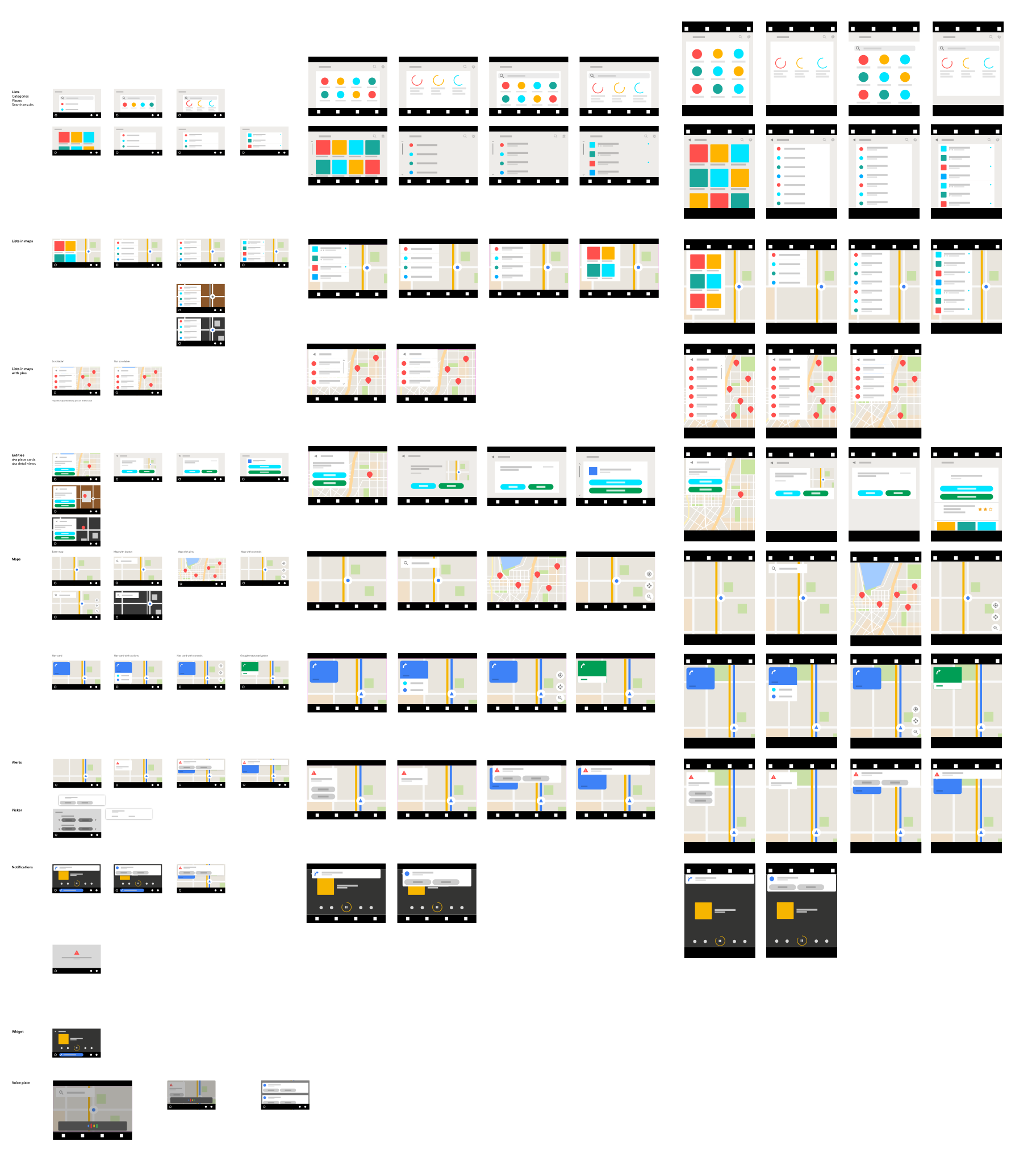
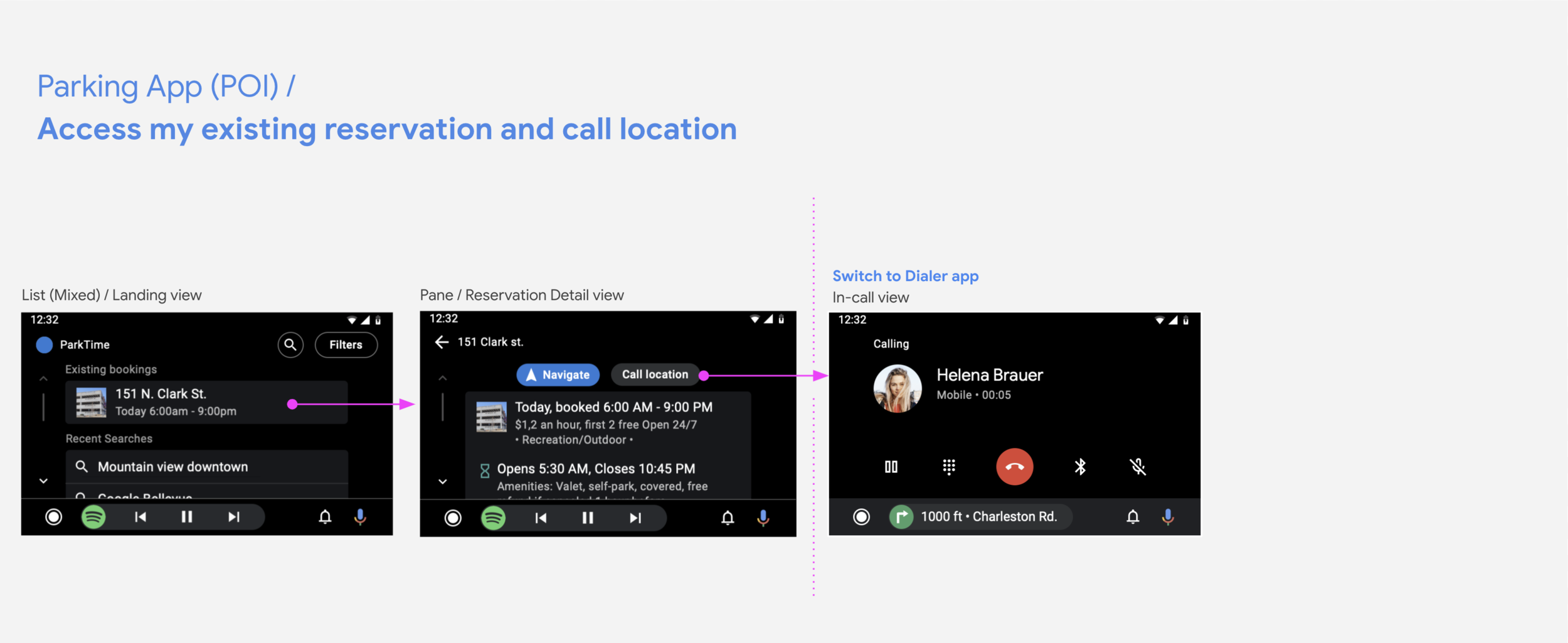
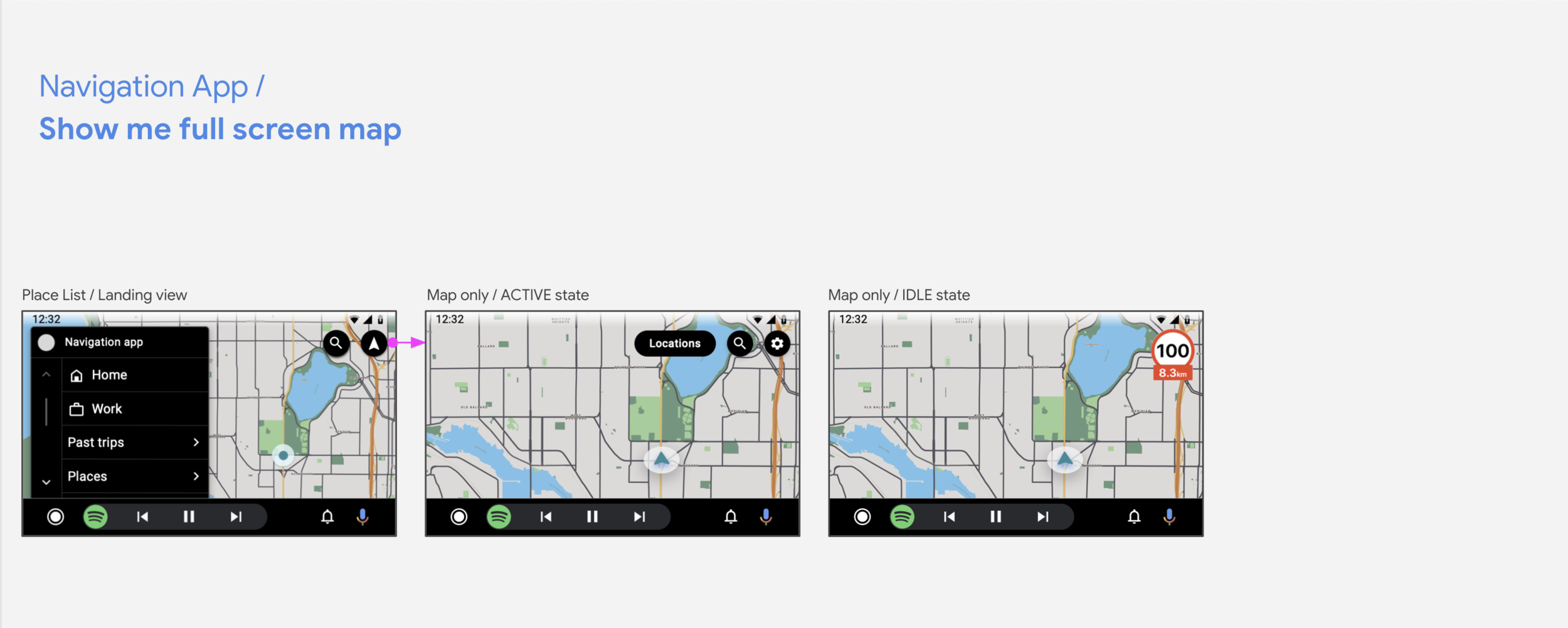
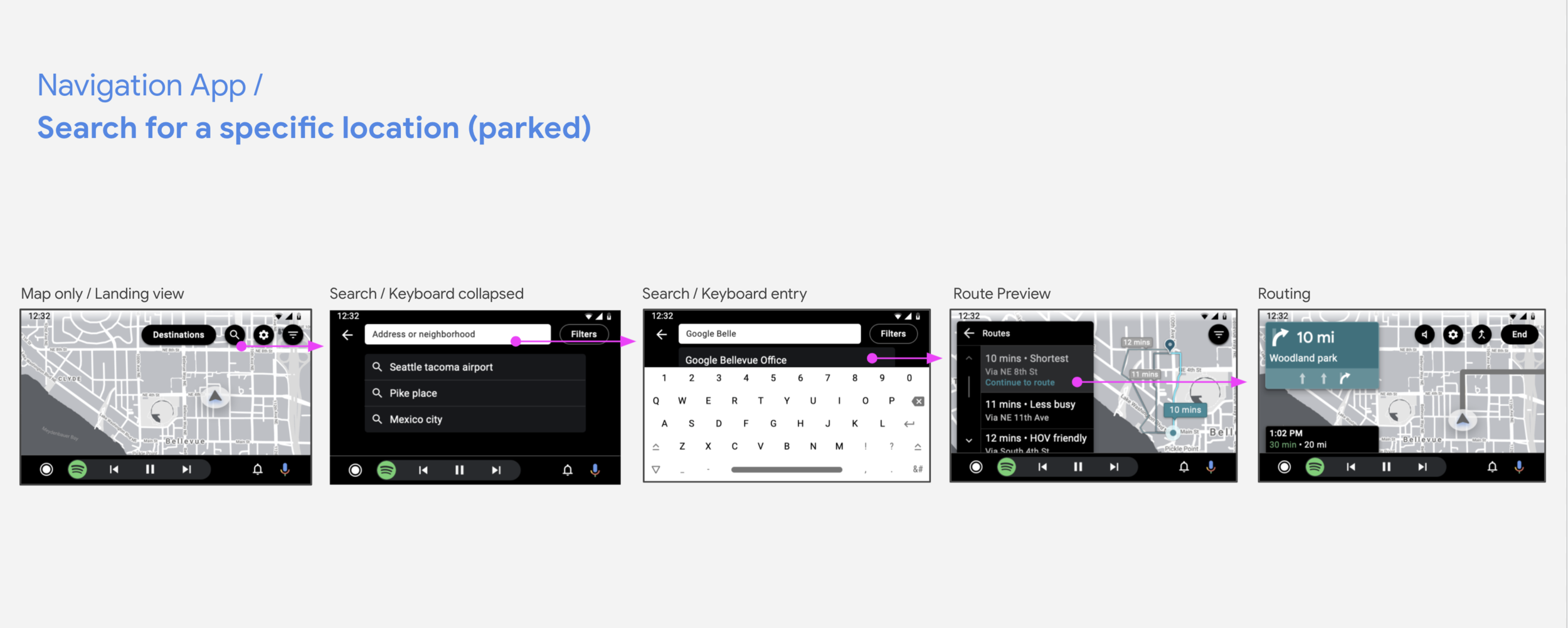
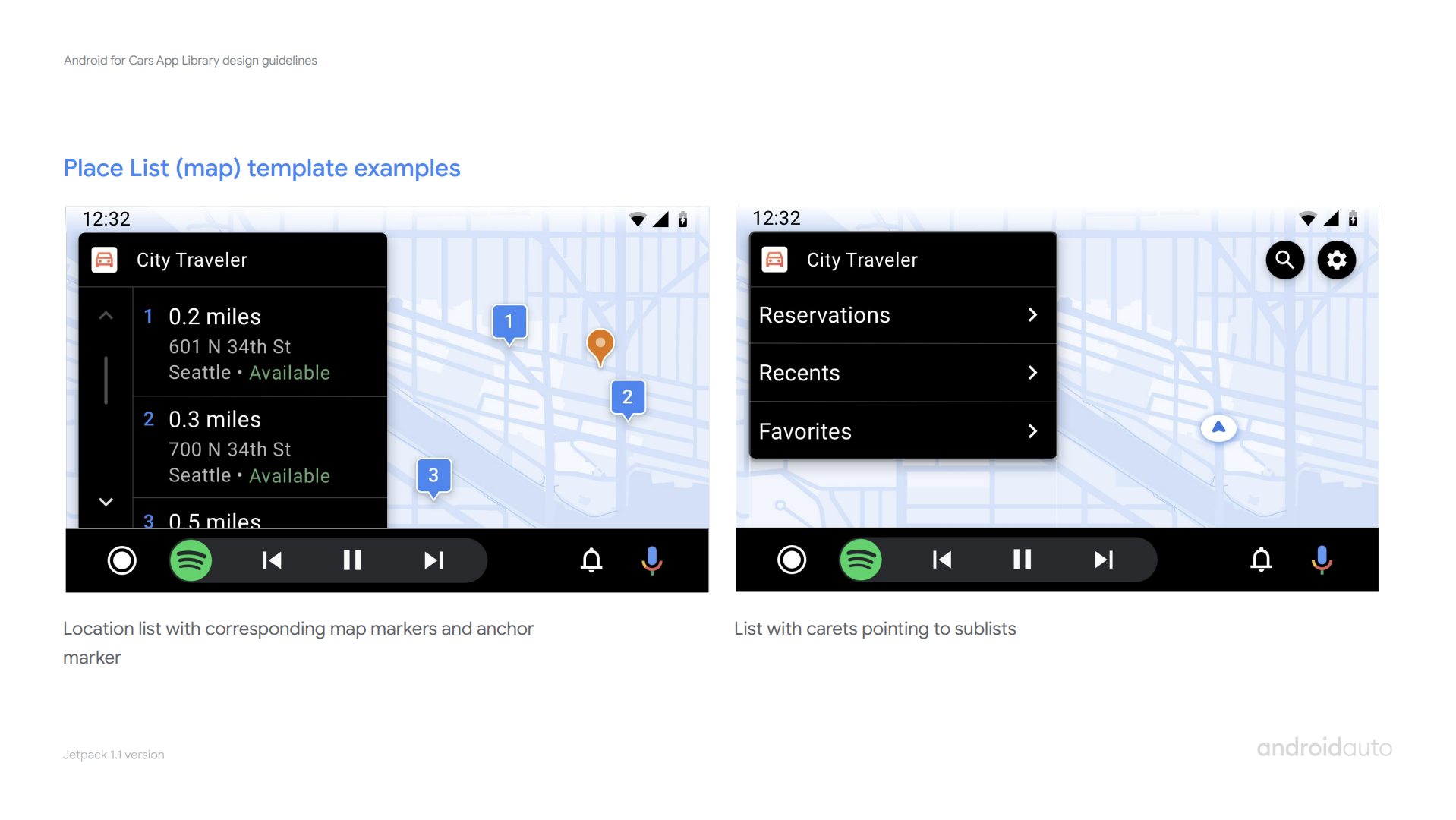
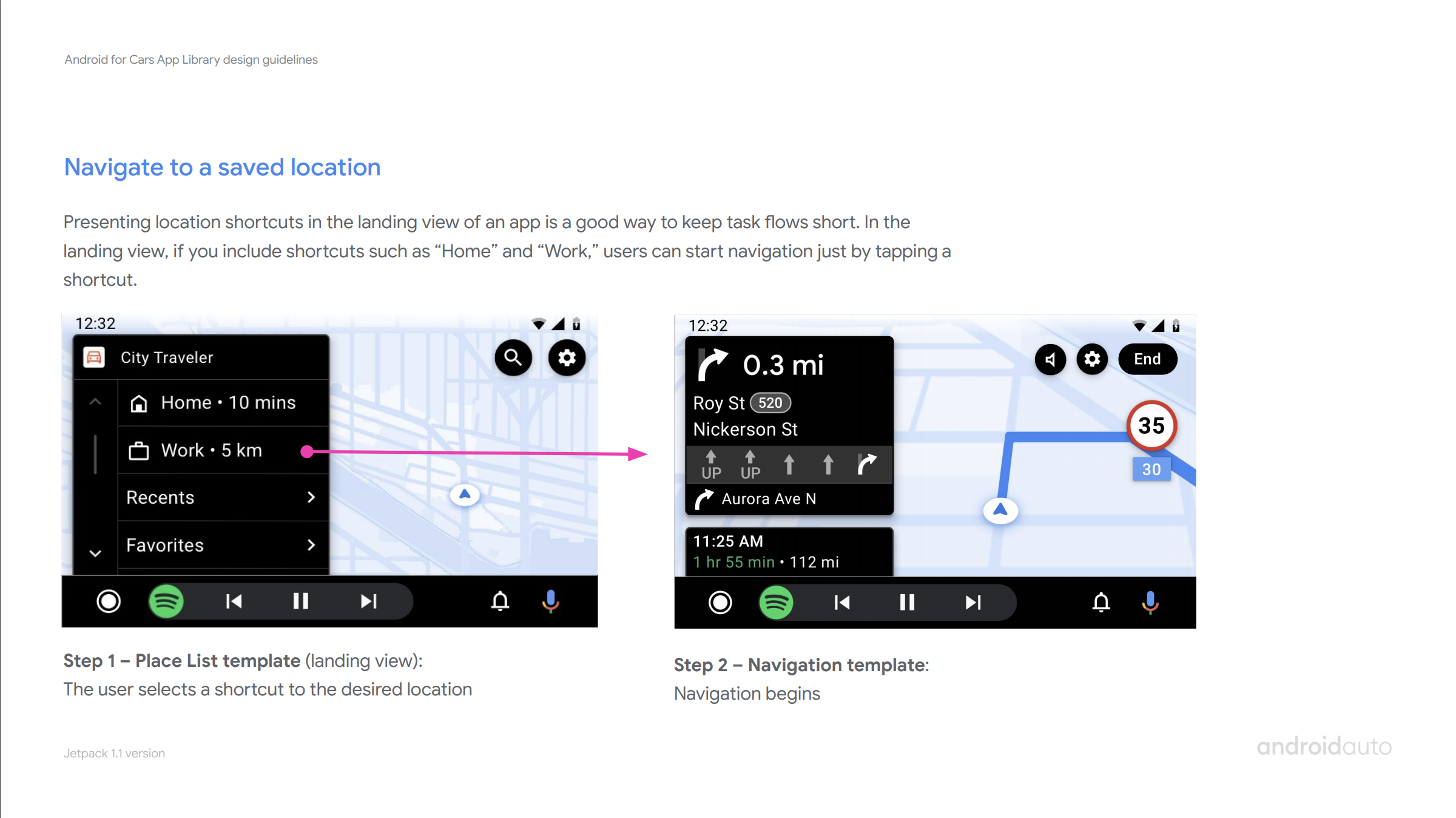
Following the flexibility principle, we wanted to enable developers to create their own app architecture and user flows. Which meant that any template could be used for the start or end of a task; and the same task flow could be created via many different template sequences. Shown above is 3 different templates (List, Place list and Navigation templates) all used as an app landing view to start the experience.
The pre-defined, known task flows has traditionally been how safety tests are done on auto. The need for flexibility meant we had to explore new ways to create safe apps. Our main goal was to ensure that all apps using the library were safety optimized, and no work for developers were needed.
We explored various models and ways to measure potential of distraction. Compared visual and cognitive load of distraction tested tasks to new tasks library introduced. In tight collaboration with another designer, engineer and safety expert, we defined a generalizable UX-restriction framework.
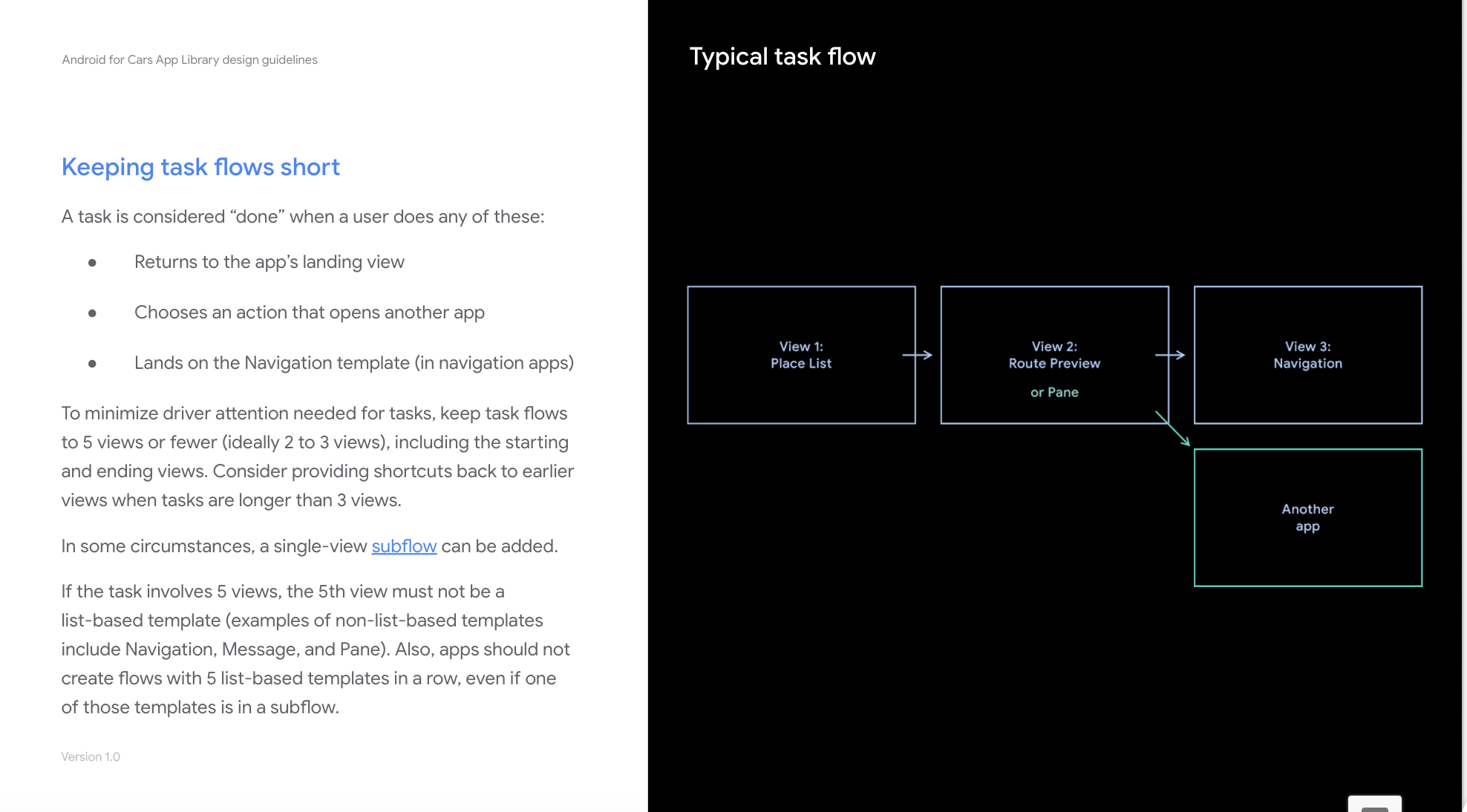
To bring structure and an actionable path forward, I proposed to start with the principle of providing a set of rules for developers that are easy to understand and follow. We then decided on a constrained system that was designed to be compliant around the world, that we could build, validate and open up as we learned.
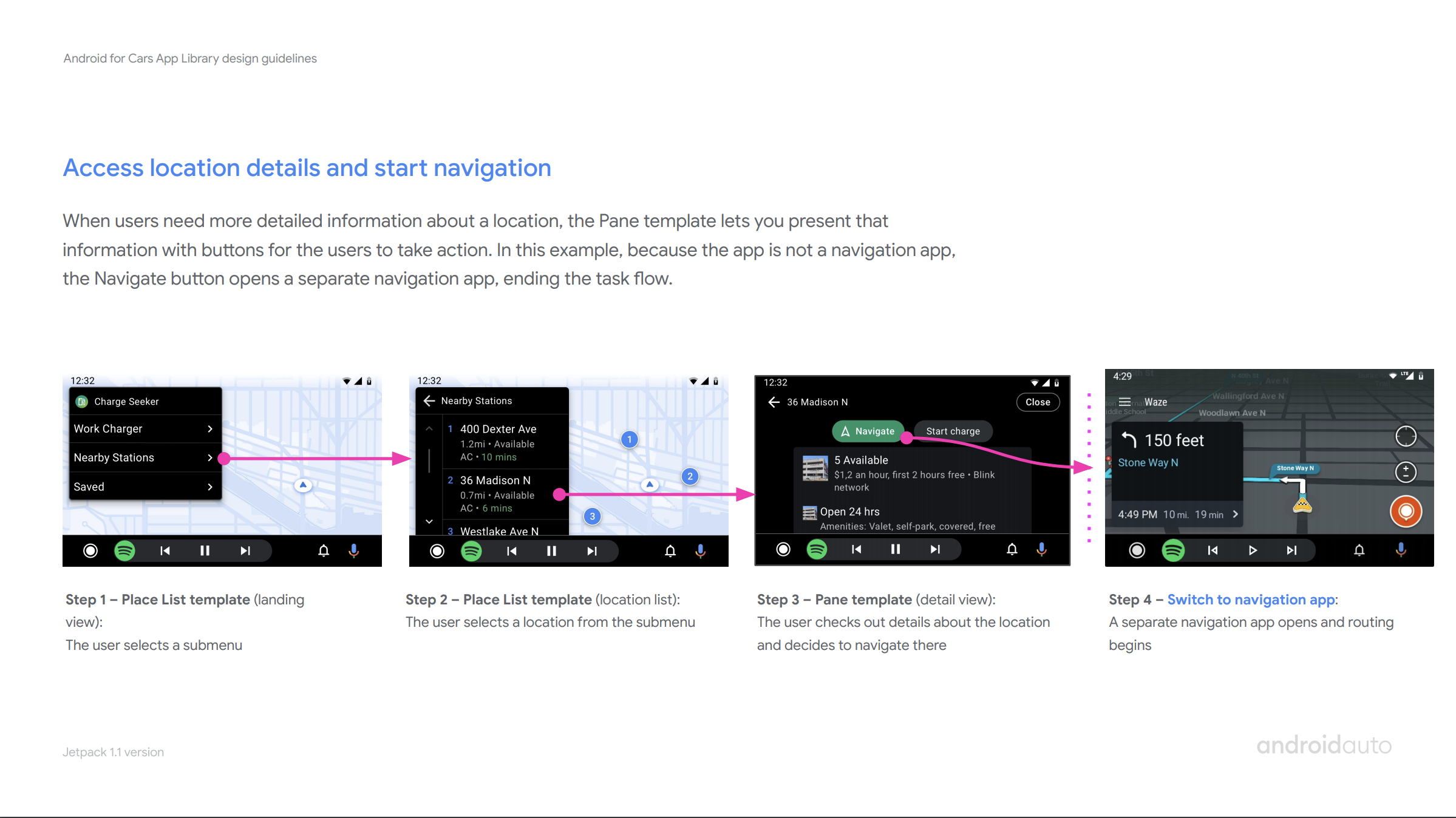
While developing this, we had to make sure we were enabling meaningful car app experiences at the end. Based on safety guidelines, framework enabled up to 5 screens in a a task flow. We worked with partners to see if all primary and secondary use cases could be built successfully. Once developers saw the benefits of making flows shorter for drivers, they were happy to make most their tasks work within the bounds.
This framework worked fairly well in enabling developers, no partners were blocked and various non-partner developers built apps with it. As it was built to be iterated, team is currently exploring features based on user and developer feedback to give developers more room to play with.
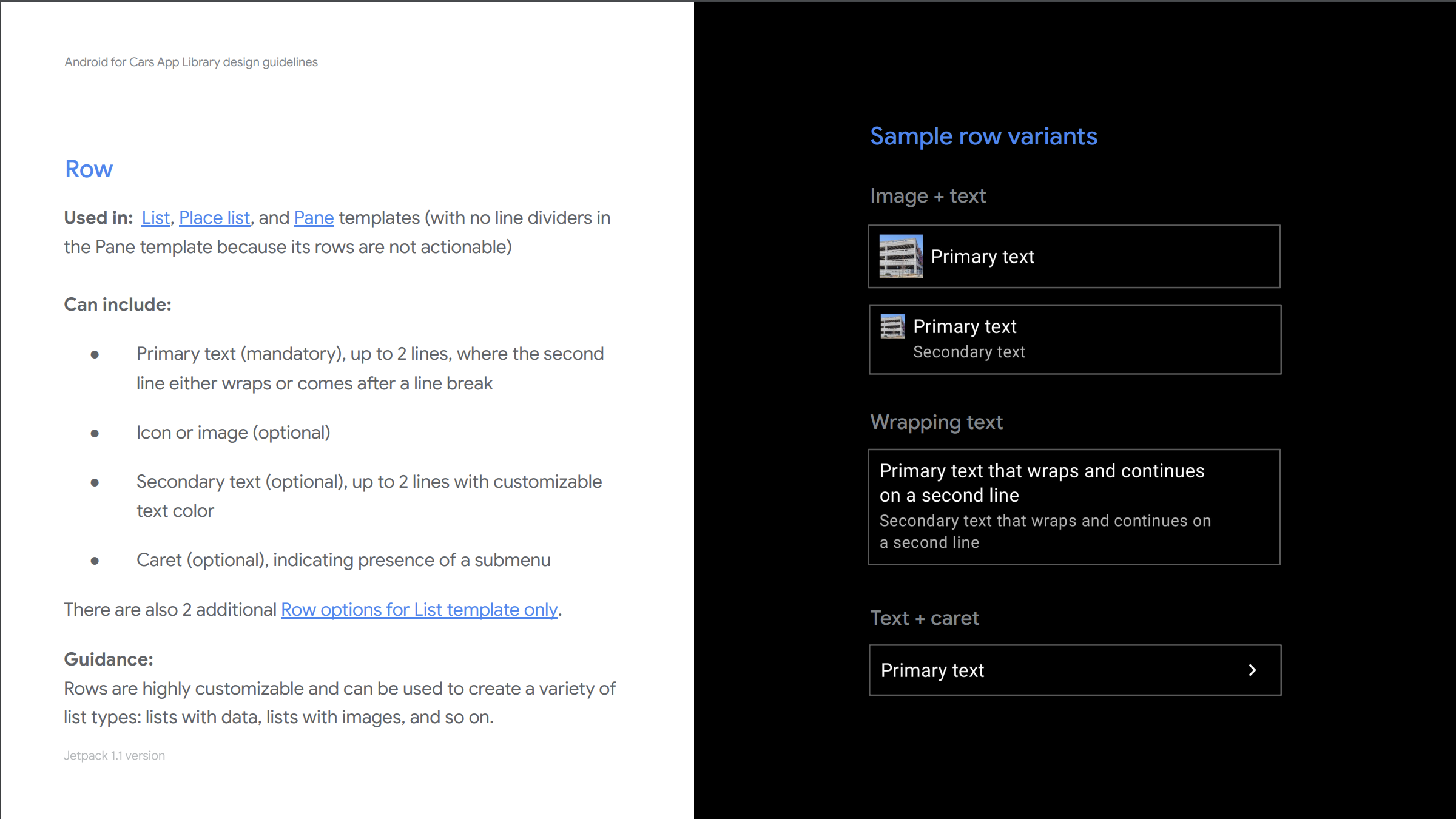
4. developer facing design guidelines to aid all developers
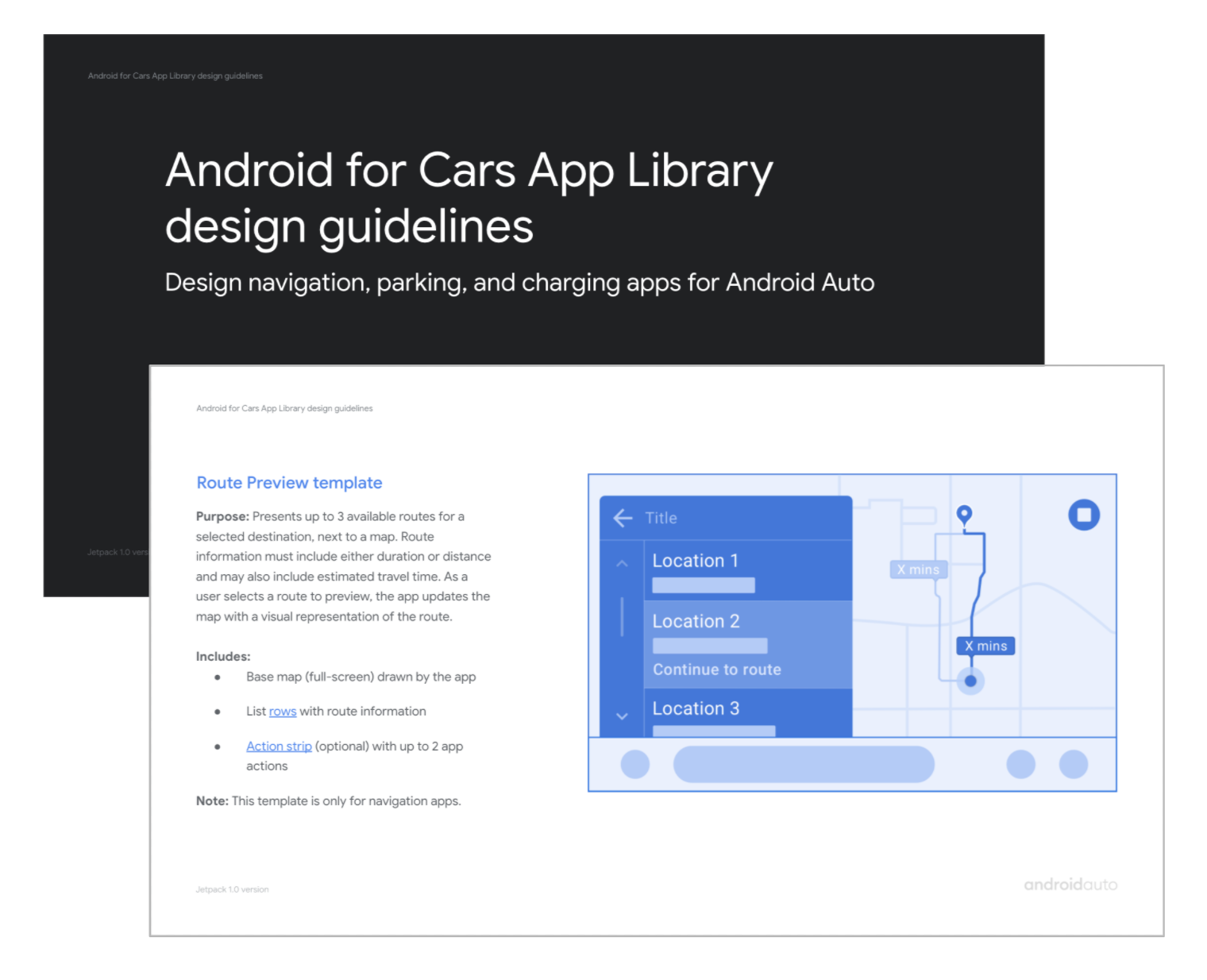
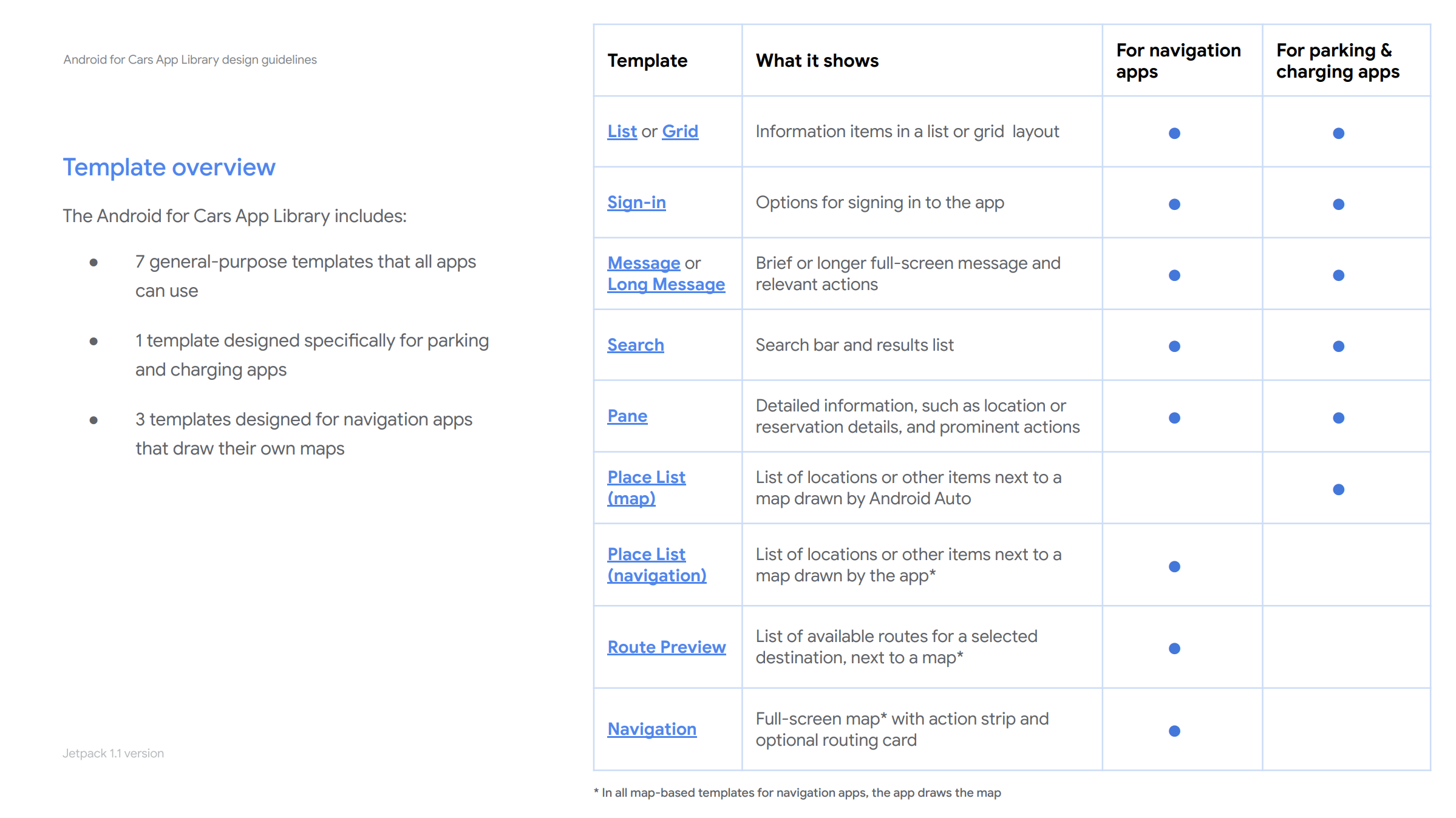
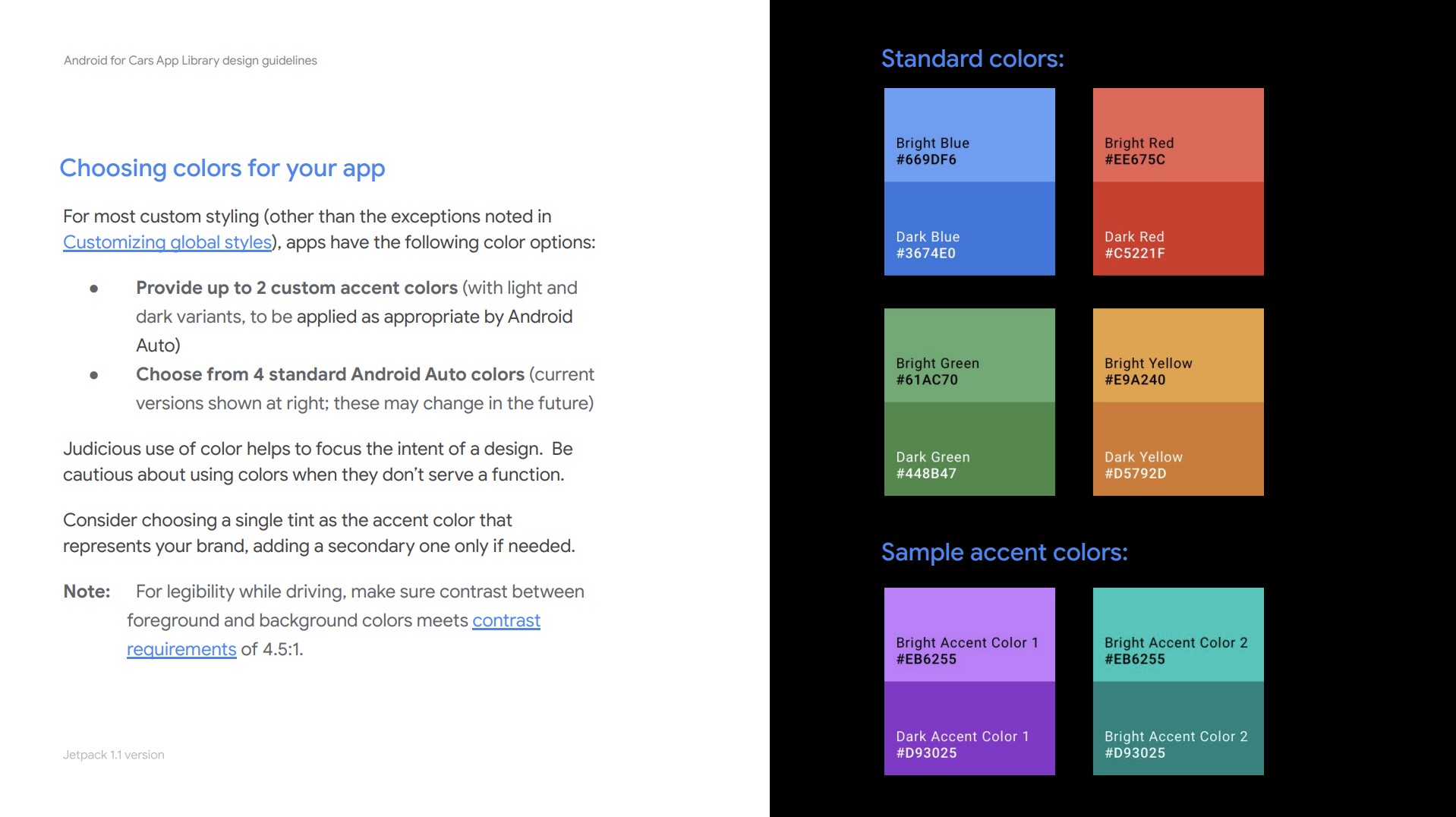
All along we worked closely with early access partners. As we were opening the library to general accessibility, I worked closely with a UX writer and visual designer to create our developer facing Design guidelines. These guidelines aimed to help all developers/designers understand library interaction and visual capabilities, rules around enforcements and various best practices for car apps (Must, Should and Mays).
This is an ever-evolving resource I own and iterate with the team, as we develop the product further and as we get questions from the global community.
impact and developer feedback
There are currently 200+ apps built with the library. By enabling a set of global developers, we see user growth in certain countries where we used to have little presence in. And, we get a steady growth without active outreach to developers.
Developer feedback has also been extremely positive. We saw various partners build apps with very little handholding, even in a matter of days. Signaling our success in creating an efficient and simple way to build car apps.
What’s next?
Other than the healthy backlog of features, at Google I/O 21 we announced that Car app library is soon being enabled for Android Automotive OS. Bringing the growing car app ecosystem to all car platforms.
From early on I advocated for a unified library design across platforms, as basic app-related user and developer needs rarely differ according to platform. With this strategy, developers can design a single car app and deploy it across platforms. I am currently leading efforts to make this vision a reality, and seeing success with early access partners.